DTP HDMI 230 Tx/Rx Transmitter and Receiver • Installation and Operation 8
Terminating shielded cable
The Tx includes two shielded RJ-45 connectors and a length of self-adhesive shielded tape
that you can use to make the STP cables to connect the transmitter and receiver.
NOTE: Extron supplies the connectors and the shielded tape. You must supply the
CAT 5e, CAT 6, or CAT 6a STP cable.
Terminate the STP cable as follows:
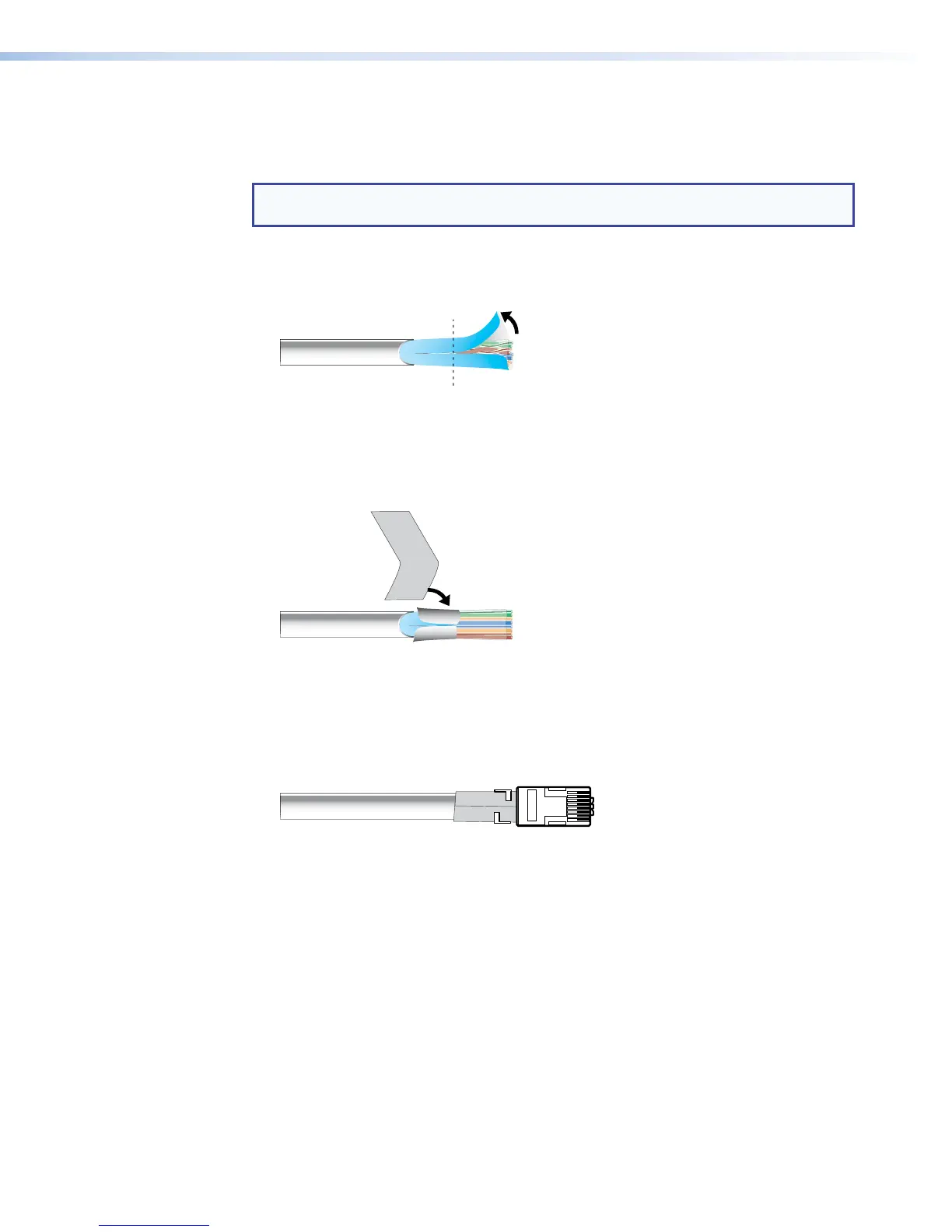
1. Peel back the cable shielding (see figure 6) from the end of the cable the length of the
RJ-45 connector body (approximately 7/8 inch [2.2 cm]) and fold it back.
Peel back shield and
fold back.
Figure 6. Peeling Back the Cable Shielding
2. Cut away and discard the clear cellophane inner wrapper from the end of the cable
back to the folded-over cable shielding.
3. Peel the backing off the self-adhesive shielded aluminum tape and wrap it around the
folded-over cable shielding, slightly overlapping the beginning of the tape (see figure 7).
Aluminum Tape
Wrap tape around folded foil shielding.
Slightly overlap.
Cut and save the excess tape
for other connectors.
•
•
•
Figure 7. Wrapping the Shielded Tape
4. Cut the unused portion of the shielded tape and retain for shielding other RJ-45
connectors.
5. Feed each individual wire into the appropriate slot of the RJ-45 connector and crimp
the cable in the normal manner, folding the tangs at the end of the connector over the
shielded tape (see figure 8).
Figure 8. Crimped RJ-45 Connector



 To Next Page