7.2.1 Remove the battery
To remove the battery:
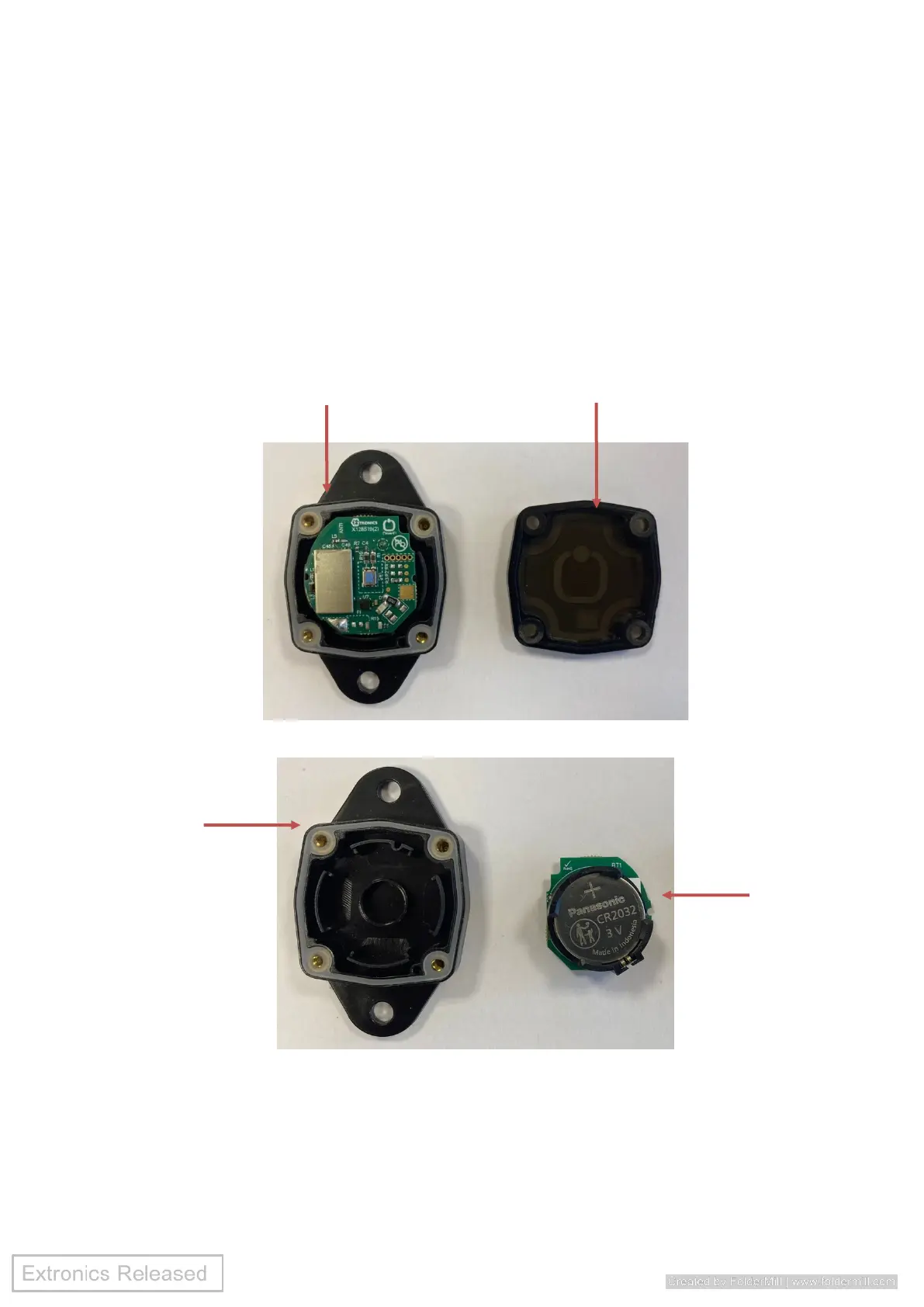
• Use a 2.5mm hex key to remove four screws and remove the case upper from the
case lower (Fig 1).
• Carefully remove the PCB from the case lower (Fig 2).
• Use a flat head screwdriver with ESD protection (or similar tool), carefully slide the
screwdriver under the battery on the side by the metal clip, lift the battery to release it
from the battery holder and remove the battery (Fig 3).
Fig 1 – iTAGXB10 with rivet holes shown for illustration purposes
Fig 2 - PCB removed from case lower


 To Next Page