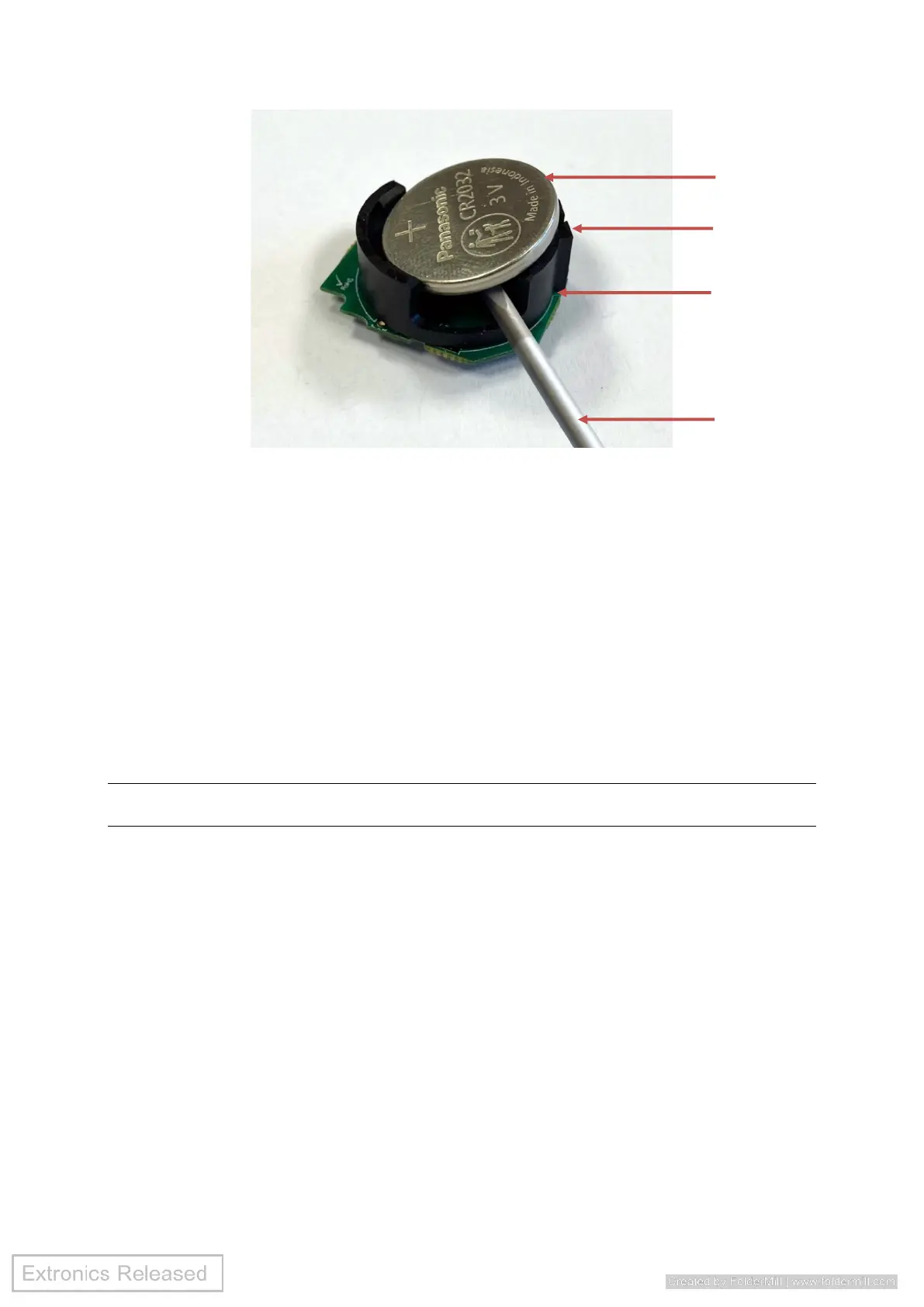
Fig 3 - Battery removal from battery holder
7.2.2 Install the battery
To install the battery:
1. Noting correct battery polarity, place battery into the battery holder the side opposite
the metal clip first, then carefully press down until battery clips securely into position
under the battery holder tabs (Fig 4).
2. Put the PCB into the case lower, take note of correct orientation as shown in Fig 5.
3. Make sure the gasket is flat and located correctly on the case lower (Fig 5).
4. Put the case upper on the case lower, install four screws and torque tighten to 0.5
Nm (5 kgf-cm), make sure the gasket has fully compressed to ensure IP68 rating (Fig
6).
WARNING Make sure the two-part casing is correctly screwed back together to help
maintain ingress protection of the tag.


 To Next Page
 Loading...