- 9 -
Data Transfer Unit
Model: V519
7.1.1Operation Mode
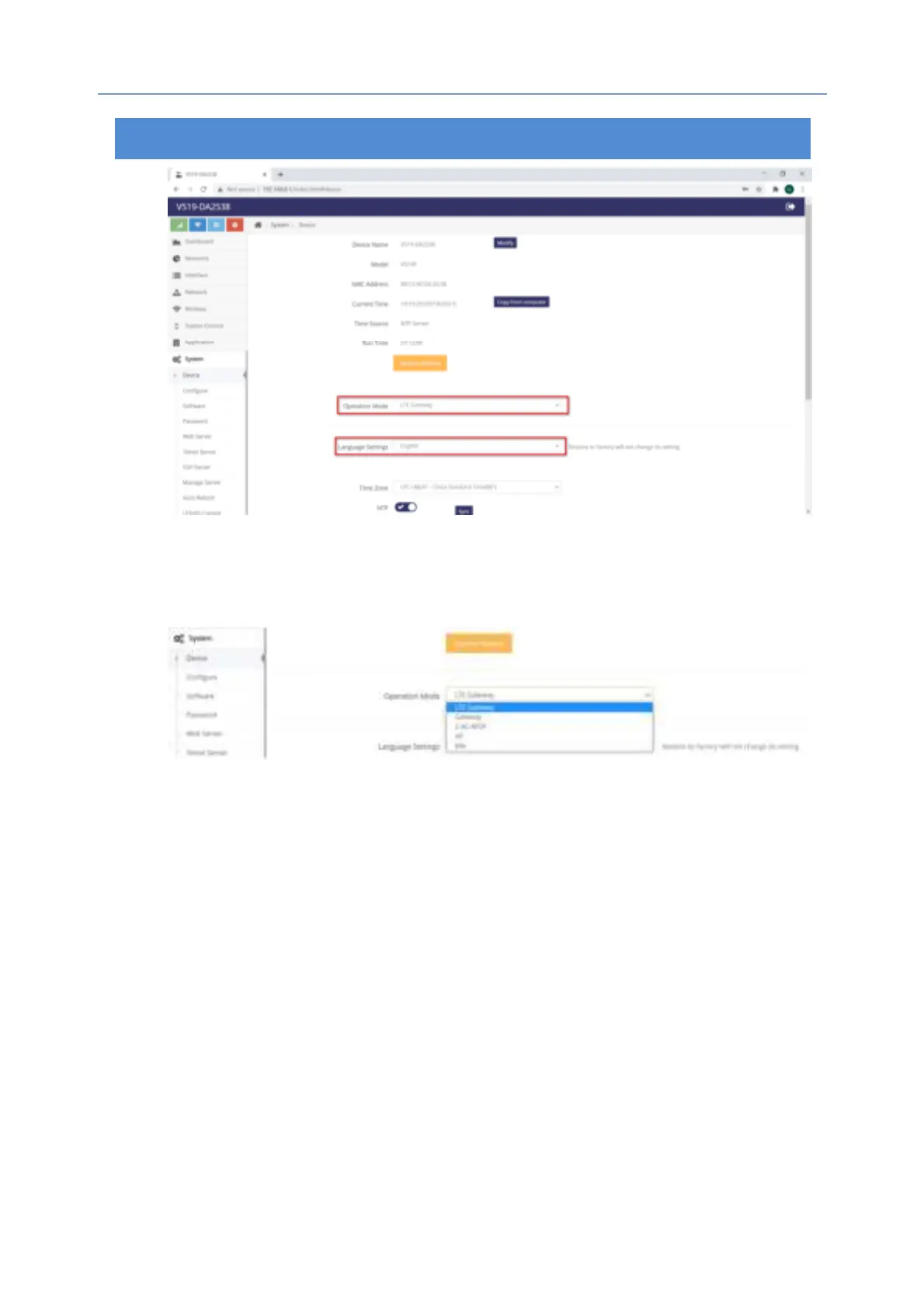
5x operation modes can be selected: LTE Gateway (By Default), Gateway,
2.4G WISP, AP, Mix. Please see below photo:
1. LTE Gateway
By default, it’s LTE Gateway mode, all you have to do is to insert 3G/4G SIM
card, then the router will auto recognize and register to the corresponding
network of 3G/4G. You can also custom and select your ISP.
2. Gateway
When you’re ready to use “Gateway” mode (standard wireless router mode),
the WAN port of router should be connected to the modem via ethernet
cable to dial.
1) Obtain an IP address automatically
Please go to System->Device->Operation Mode->Select “Gateway”->Confirm,
then the router will reboot. Later please access the router from browser again,
and go to Network->LAN-> Select “DHCP” from dropdown list of Dial Mode
->Click “Confirm” and then the router will obtain an IP address automatically
from ISP.
2) Manually Set IP
Please go to System->Device->Operation Mode->Select “Gateway”->Confirm,


 To Next Page