Need help?
Do you have a question about the Eyemax TVST PVT3-04N5 and is the answer not in the manual?
Lists all items included in the DVR package.
Details the key features and capabilities of the DVR.
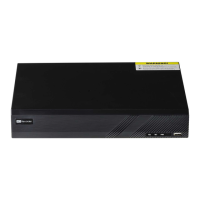
Identifies and explains the parts on the DVR's front panel.
Describes the input/output ports on the DVR's rear panel.
Provides essential safety warnings and precautions for device installation.
Explains how the DVR can be configured with cameras and monitors.
Guides the user on how to correctly connect the power adapter.
Details how to connect cameras, sensors, and PCs to the DVR.
Introduces the DVR's primary operating modes and basic interaction.
Explains how to access and view live video feeds from cameras.
Explains how to find and review recorded video footage.
Covers various system settings and configurations.
Provides steps for upgrading the DVR firmware.
Offers guidance for resolving common DVR operational problems.


 To Next Page
 General