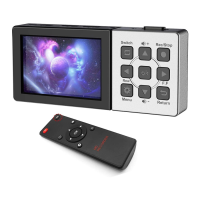
--Direction
--When at preview or playback video, press this to turn up the volume of HDMI source.
10. Reset – Use needle to press it to power off the device.
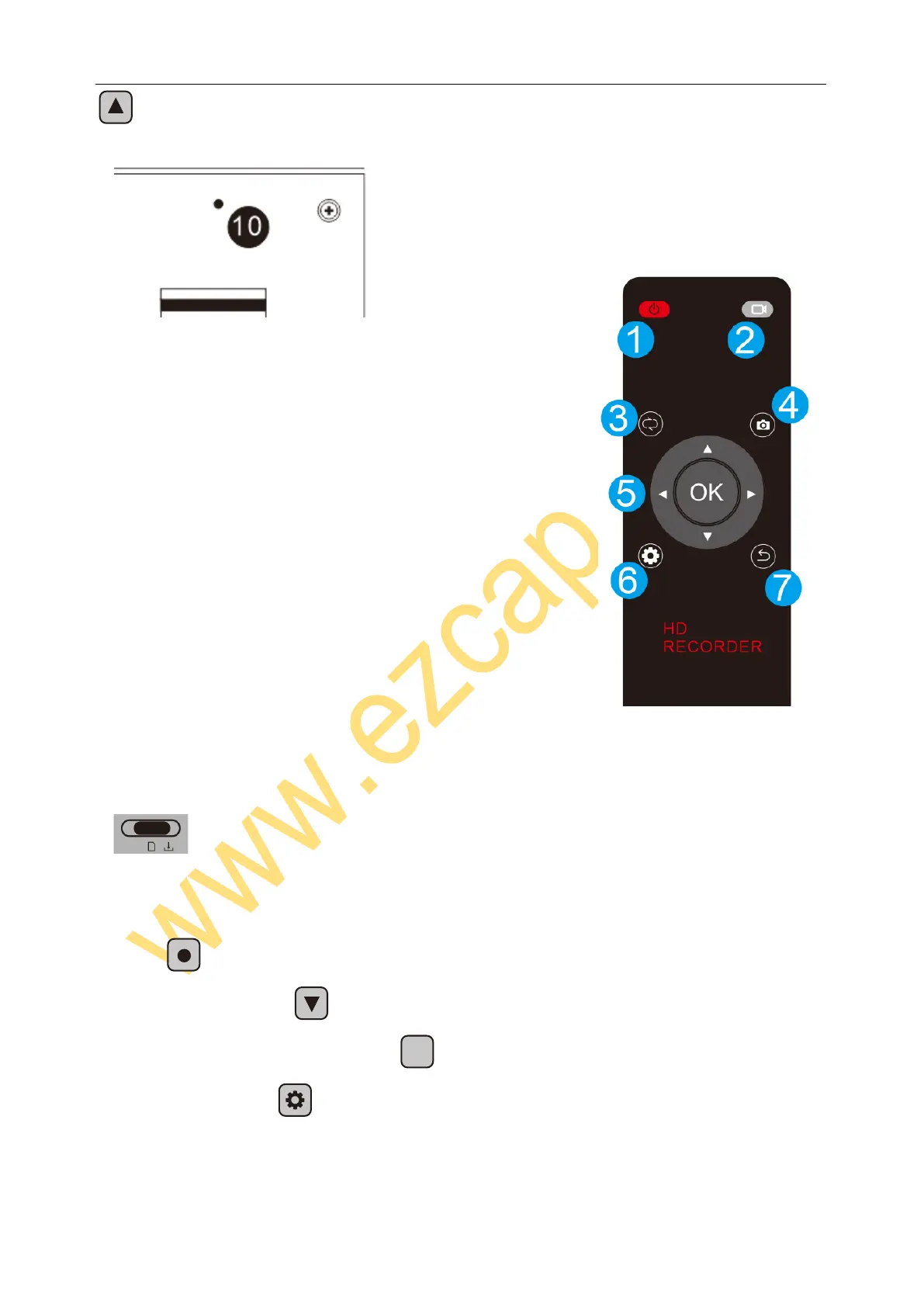
Remote controller:
1, Power ON/OFF
2, RECORD – Press to record, again to stop (at record mode)
3, MODE – Switch between Record and Playback mode
4, SNAPSHOT – Take a still image by press
5, Direction – To work with menu
6, Menu – Setup
7, Return – Back
ON / Record --- Record video to Micro SD card
1. First of all, the device need be charged. Or plug DC cable (USB micro) to work.
2. Switch to ON/Record to turn on device.
3. Plug HDMI source to “HDMI IN” port, should see the video previewing on screen.
4. Plug HDMI OUT port to TV if you need.
5. Plug a Micro SD card (FAT32 or exFAT format) with enough space.
6. Press to record, press again to stop.
7. During recording, press to pause, press again to continue recording
8, During recording, or previewing, press
to take a picture (snapshot)
9. On previewing, press to set device, you can set:
Power Save – Auto turn off the screen after 10 minutes or 30 minutes, if no operation. And there is no
operation in the next three minutes, the device will automatically shut down


 To Next Page
 Loading...