2
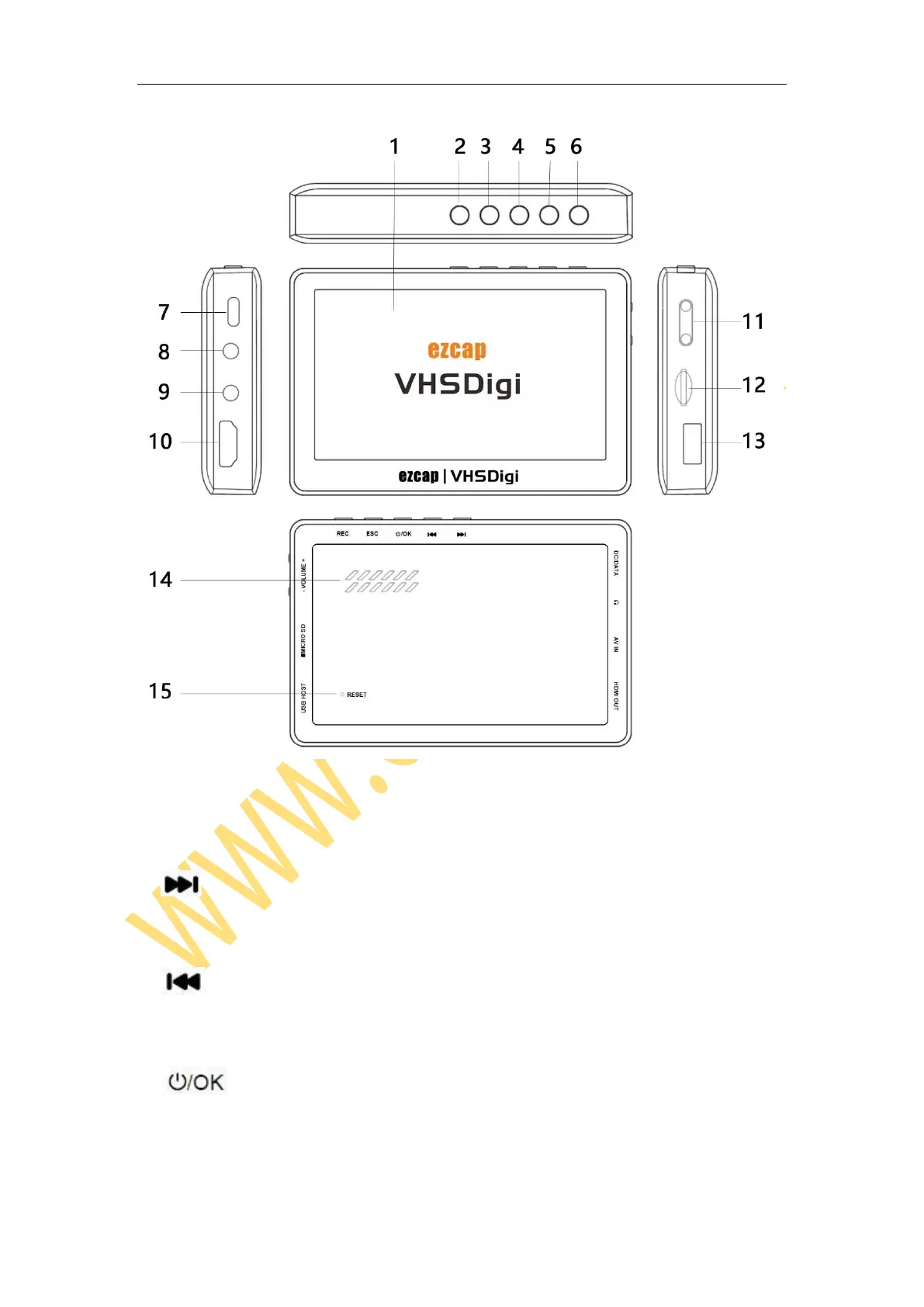
1, 4.3 inch TFT screen (480 x 270)
2, – LEFT direction button to operate the menu. For playback, press to Previous,
long press to Fast Rewind.
3, – RIGHT direction button to operate the menu. For playback, press to Next,
long press to Fast Forward.
4, – Long press to power on and off. OK direction button to operate the
menu. For playback, press to play and pause.


 To Next Page