Hardware Installation
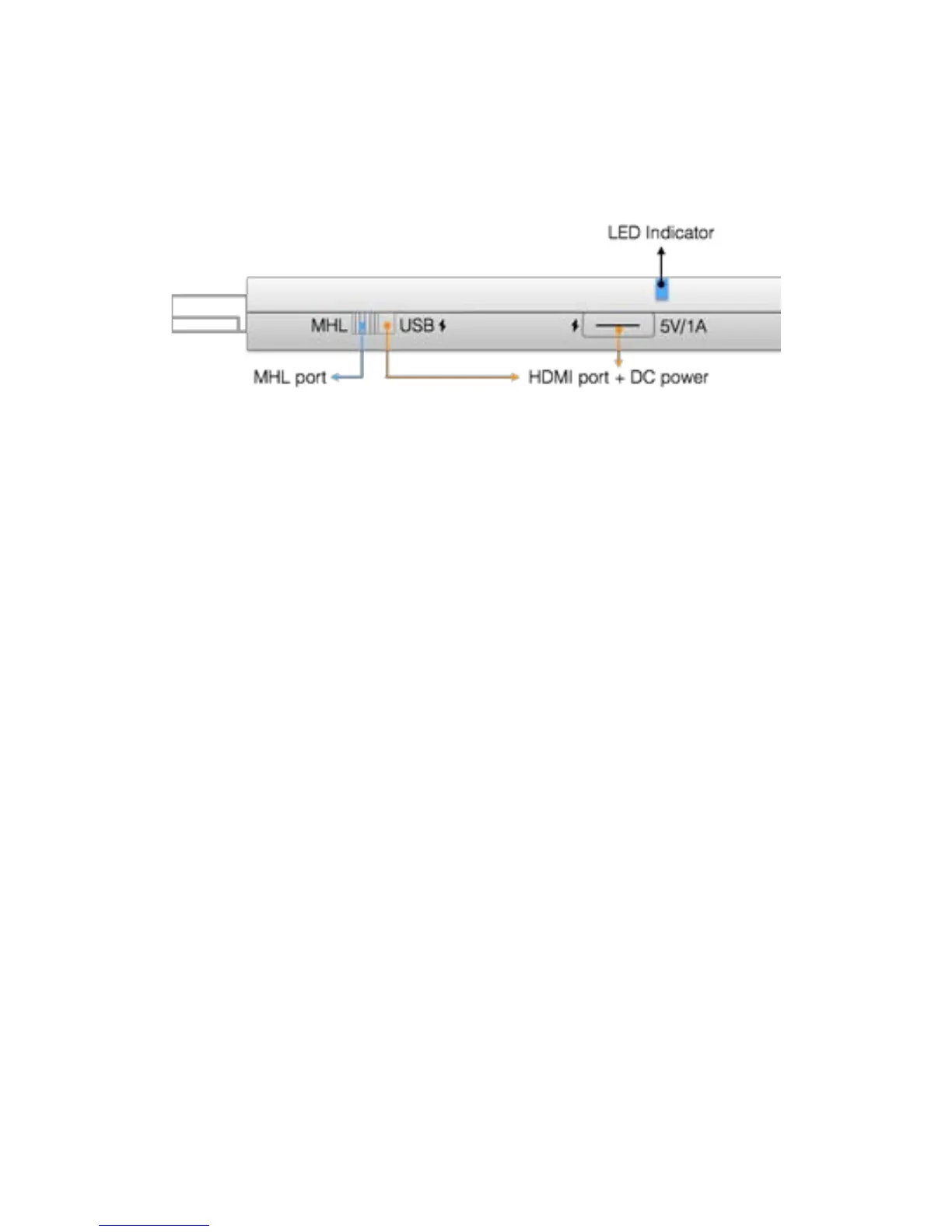
The EZCast Pro dongle is compatible with MHL
interface, so there are 2 ways to connect with EZCast
Pro dongle with your receiver devices like TV, Monitor
or Projector. Use the switch to choose HDMI output or
MHL output, please be noted your MHL device must
provide 900mA power, and if you use HDMI out, you
will need external 5V/1A DC power to bring up the
dongle.


 To Next Page