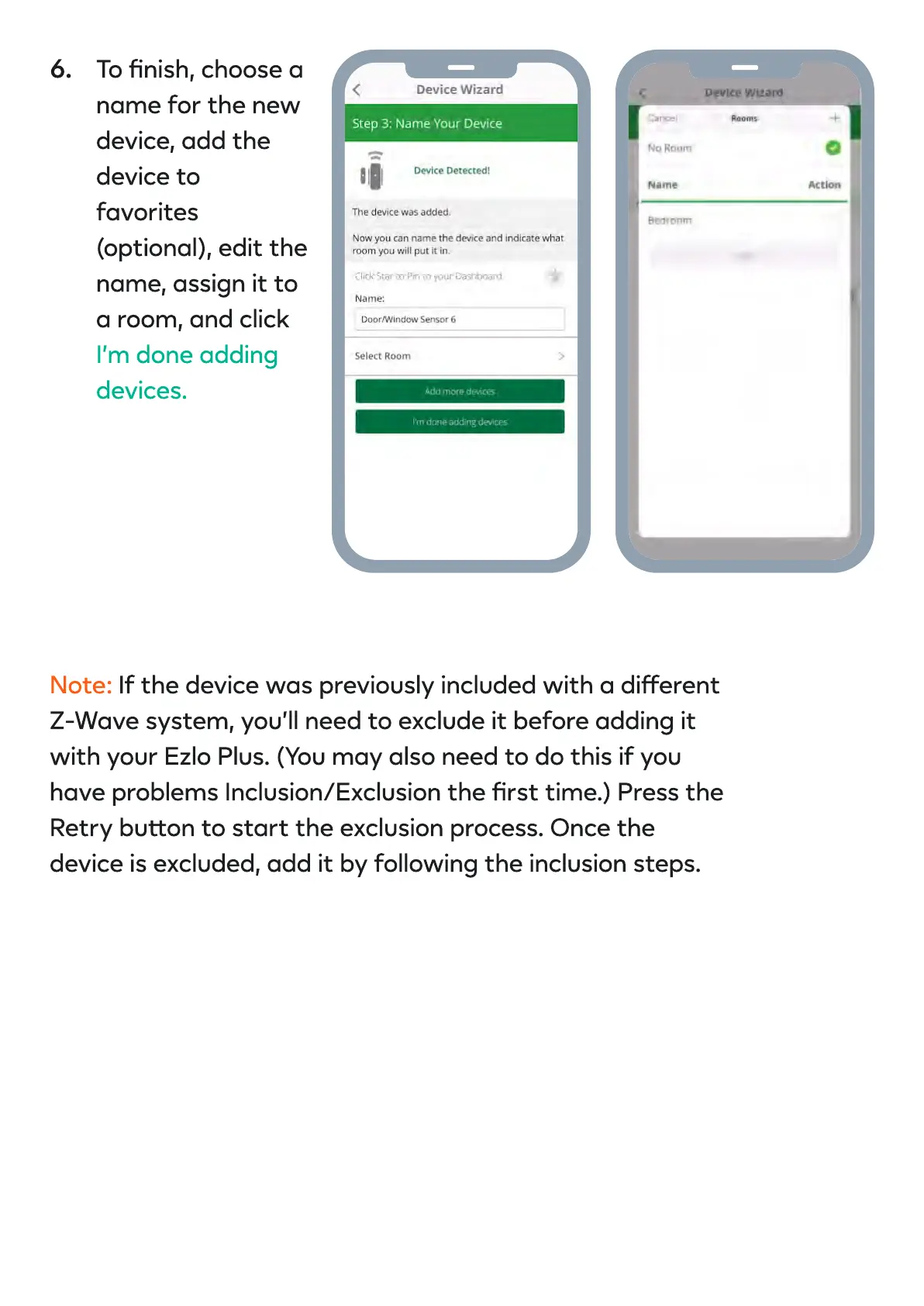
To nish, choose a
name for the new
device, add the
device to
favorites
(optional), edit the
name, assign it to
a room, and click
I’m done adding
devices.
Note: If the device was previously included with a dierent
Z-Wave system, you’ll need to exclude it before adding it
with your Ezlo Plus. (You may also need to do this if you
have problems Inclusion/Exclusion the rst time.) Press the
Retry buon to start the exclusion process. Once the
device is excluded, add it by following the inclusion steps.
6.


 To Next Page