Adding a Z-Wave Device to Ezlo Plus
(SmartStart adding
With SmartStart, you can add Z-Wave devices
automatically by scanning their QR codes.
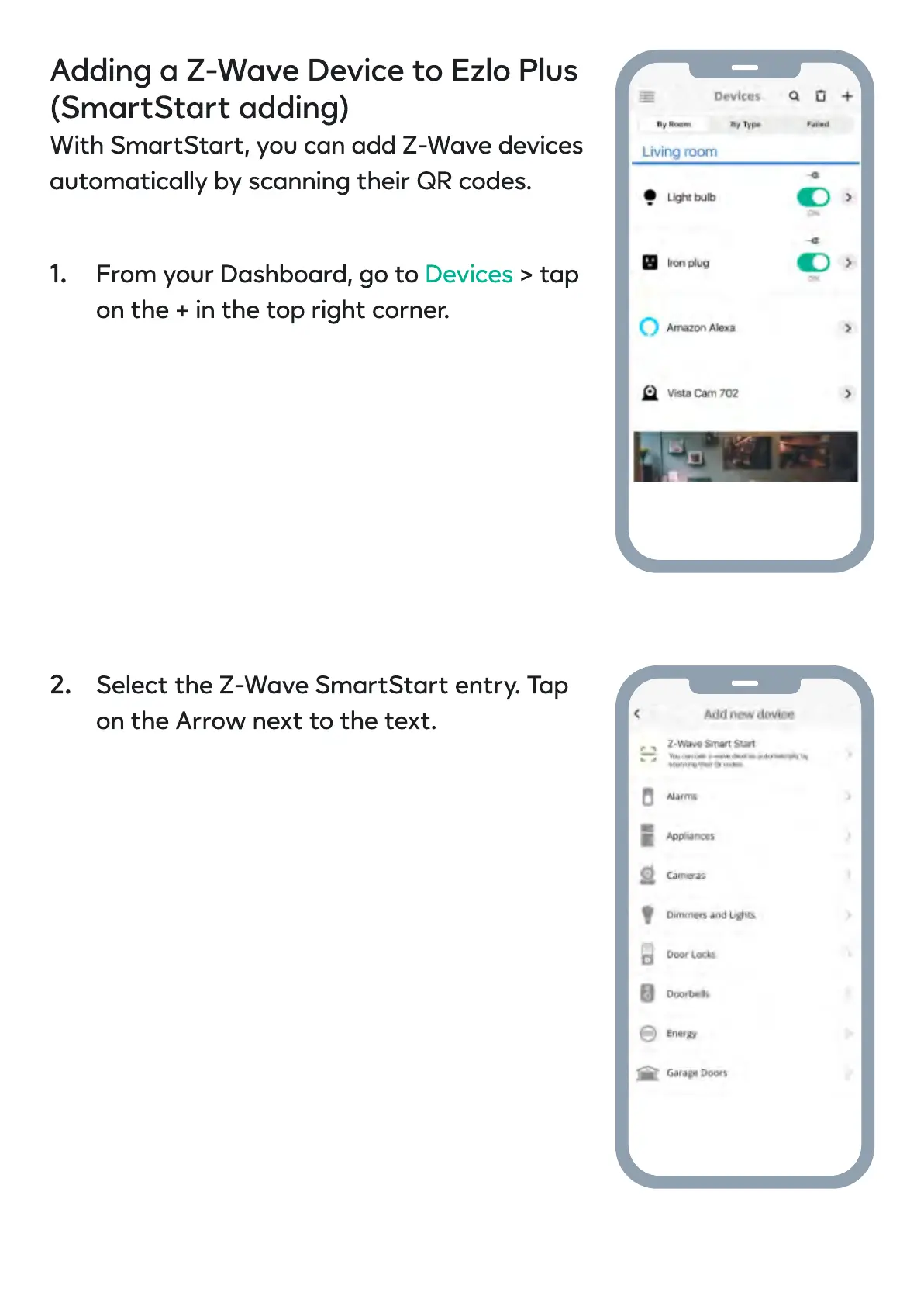
From your Dashboard, go to > tap
on the + in the top right corner.
Devices
Select the Z-Wave SmartStart entry. Tap
on the Arrow next to the text.
1.
2.


 To Next Page