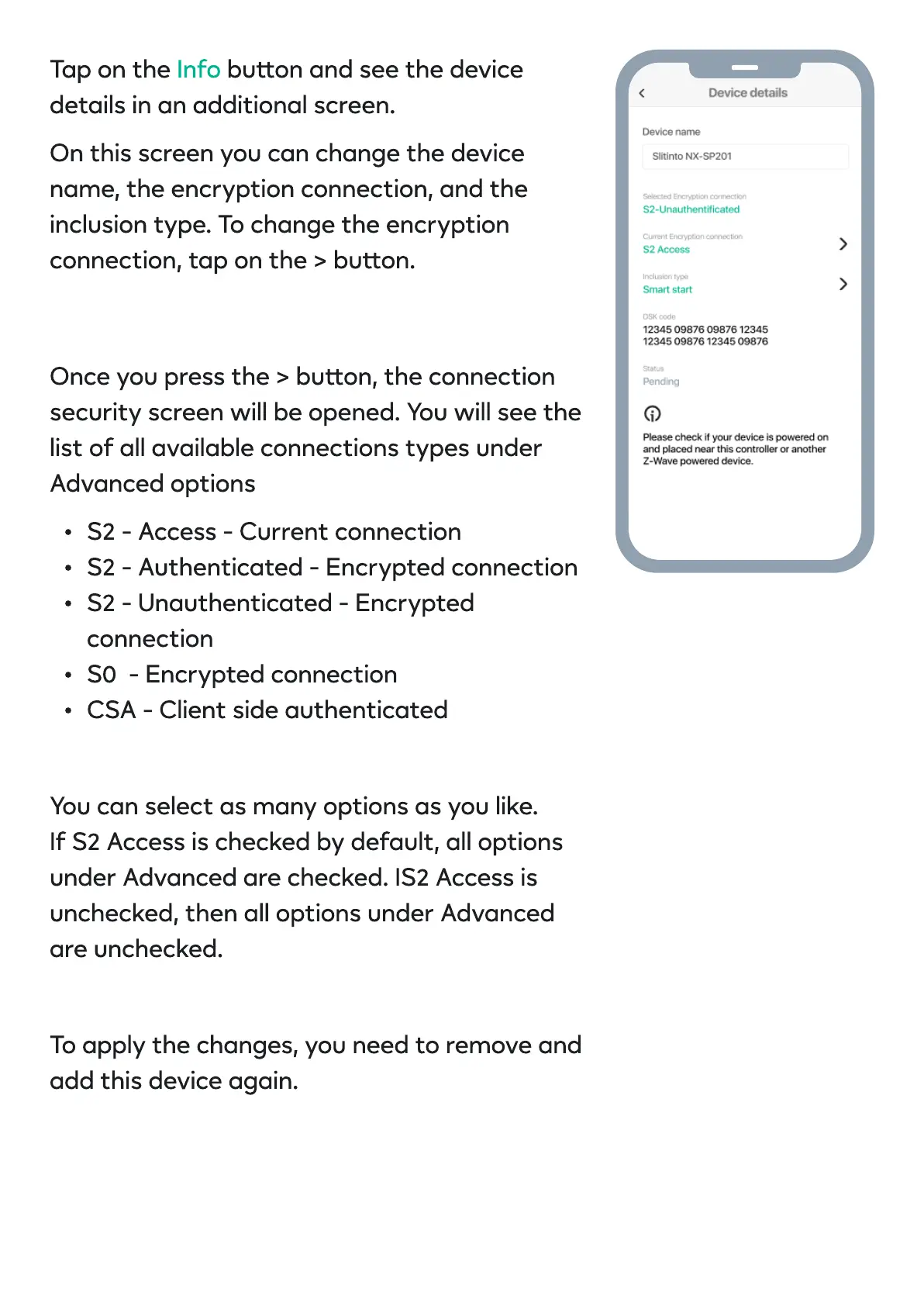
Tap on the buon and see the device
details in an additional screen
On this screen you can change the device
name, the encryption connection, and the
inclusion type. To change the encryption
connection, tap on the > buon.
Info
Once you press the > buon, the connection
security screen will be opened. You will see the
list of all available connections types under
Advanced option
S2 - Access - Current connectio
S2 - Authenticated - Encrypted connectio
S2 - Unauthenticated - Encrypted
connectio
S0 - Encrypted connectio
CSA - Client side authenticate
You can select as many options as you like
If S2 Access is checked by default, all options
under Advanced are checked. IS2 Access is
unchecked, then all options under Advanced
are unchecked
To apply the changes, you need to remove and
add this device again


 To Next Page
 Loading...