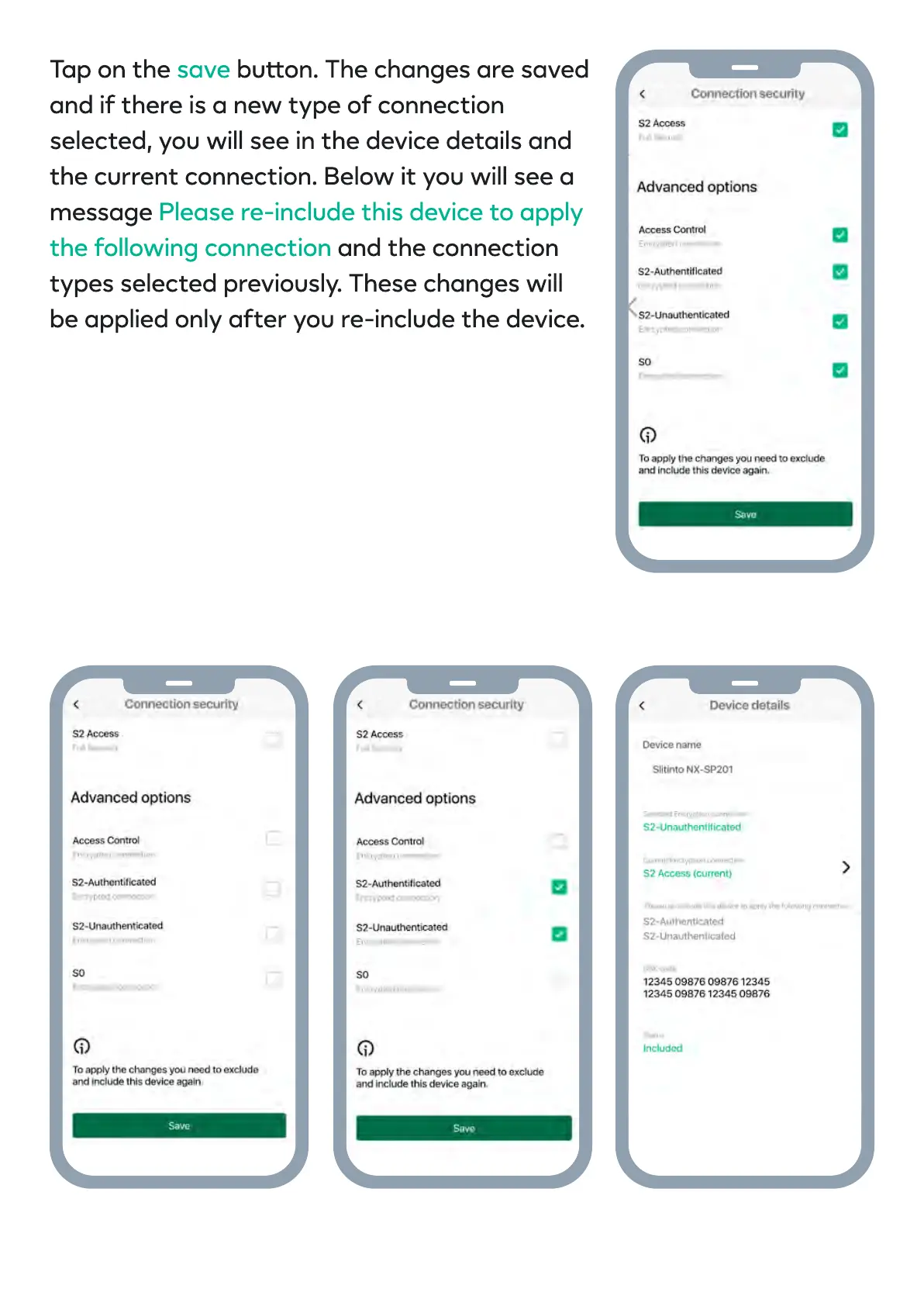
Tap on the buon. The changes are saved
and if there is a new type of connection
selected, you will see in the device details and
the current connection. Below it you will see a
message
and the connection
types selected previously. These changes will
be applied only after you re-include the device.
save
Please re-include this device to apply
the following connection


 To Next Page