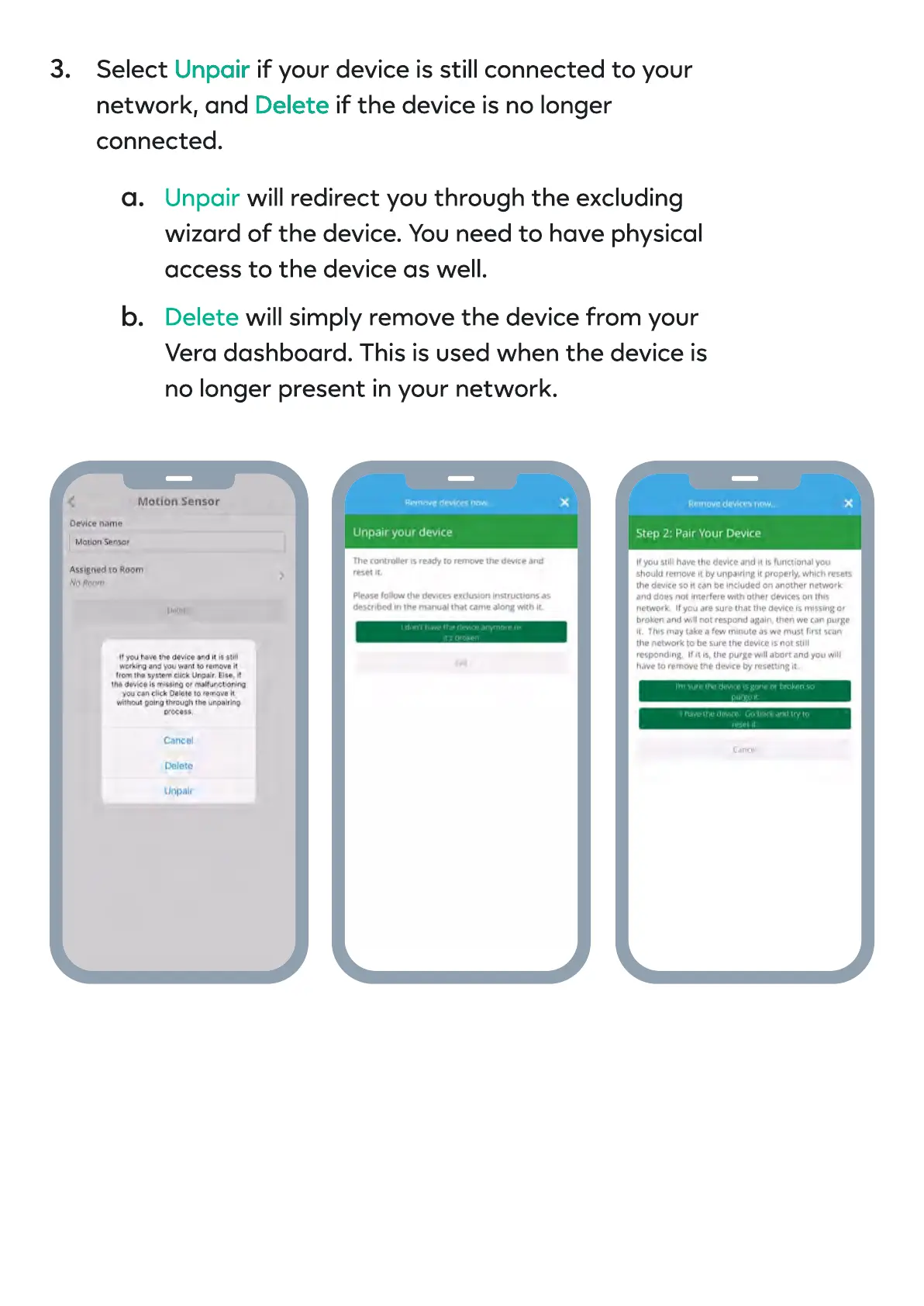
Select if your device is still connected to your
network, and if the device is no longer
connected.
Unpair
Delete
Unpair
Delete
will redirect you through the excluding
wizard of the device. You need to have physical
access to the device as well
will simply remove the device from your
Vera dashboard. This is used when the device is
no longer present in your network.
3.
a.
b.


 To Next Page