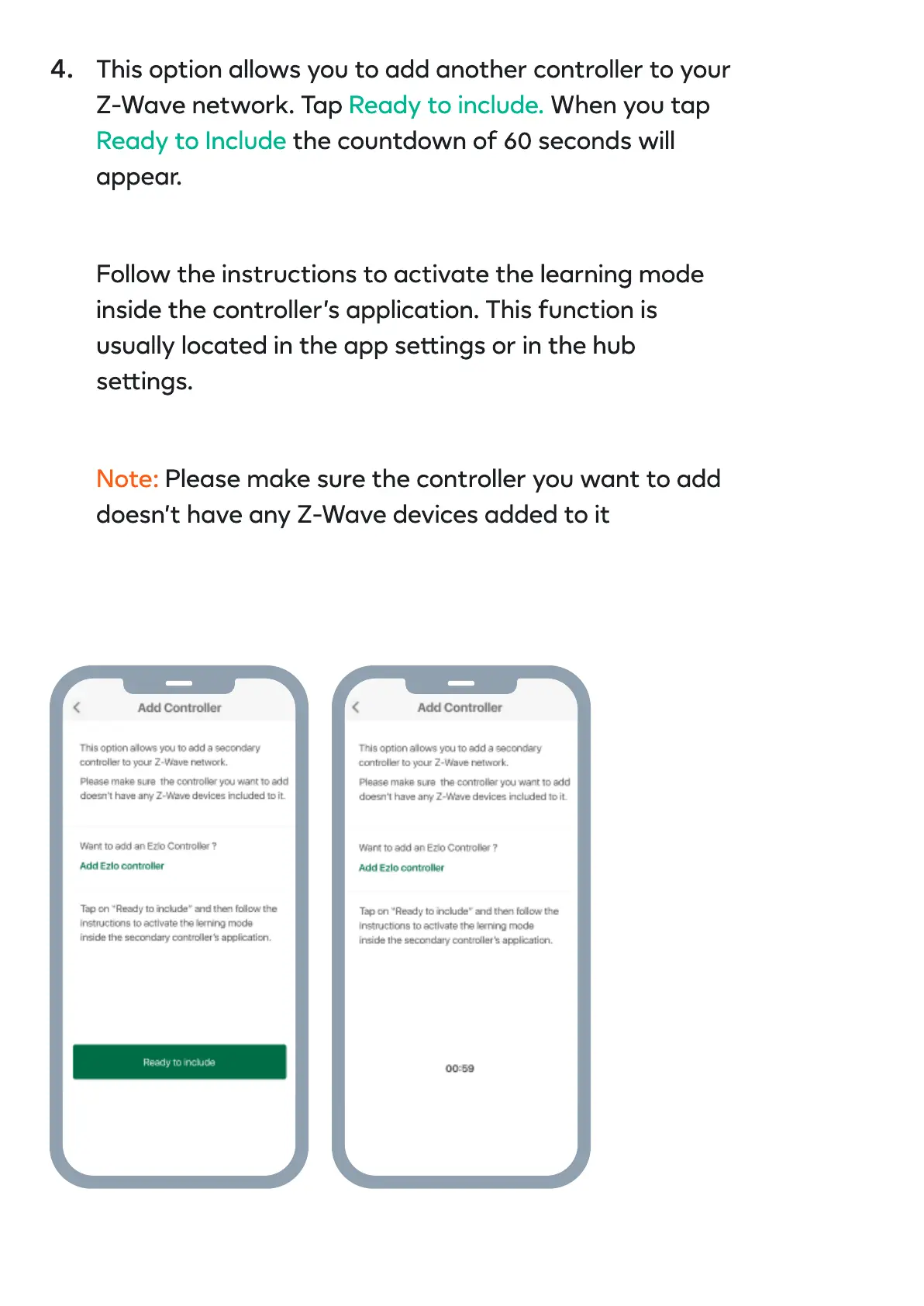
This option allows you to add another controller to your
Z-Wave network. Tap When you tap
the countdown of 60 seconds will
appear.
Ready to include.
Ready to Include
Follow the instructions to activate the learning mode
inside the controller’s application. This function is
usually located in the app seings or in the hub
seings.
Note: Please make sure the controller you want to add
doesn’t have any Z-Wave devices added to it
4.


 To Next Page