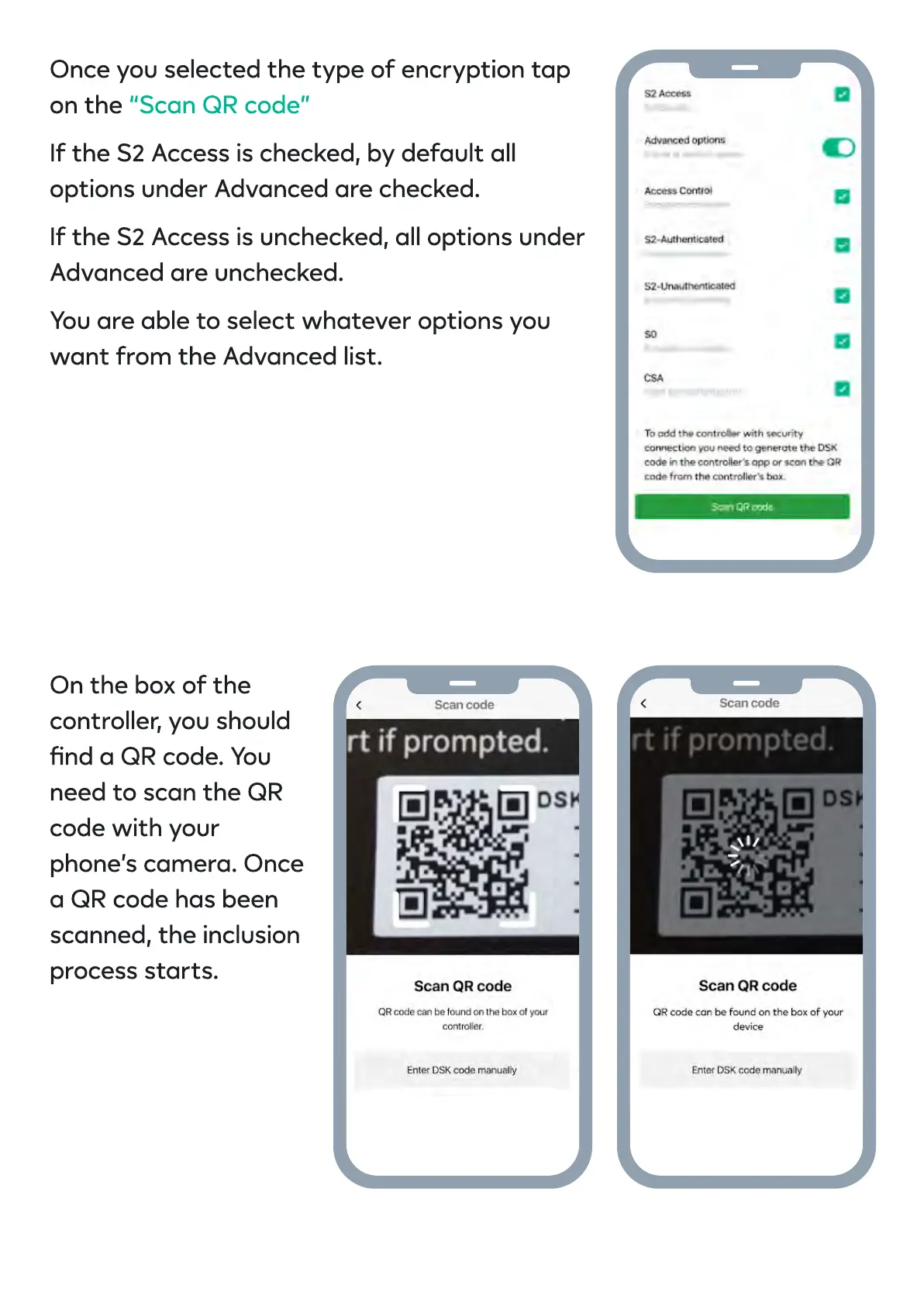
Once you selected the type of encryption tap
on the
If the S2 Access is checked, by default all
options under Advanced are checked
If the S2 Access is unchecked, all options under
Advanced are unchecked
You are able to select whatever options you
want from the Advanced list
“Scan QR code
On the box of the
controller, you should
nd a QR code. You
need to scan the QR
code with your
phone’s camera. Once
a QR code has been
scanned, the inclusion
process starts.


 To Next Page