Adding Z-Wave Devices to your Ezlo Plu
Before Ezlo Plus can control a device, it must be added into
the system
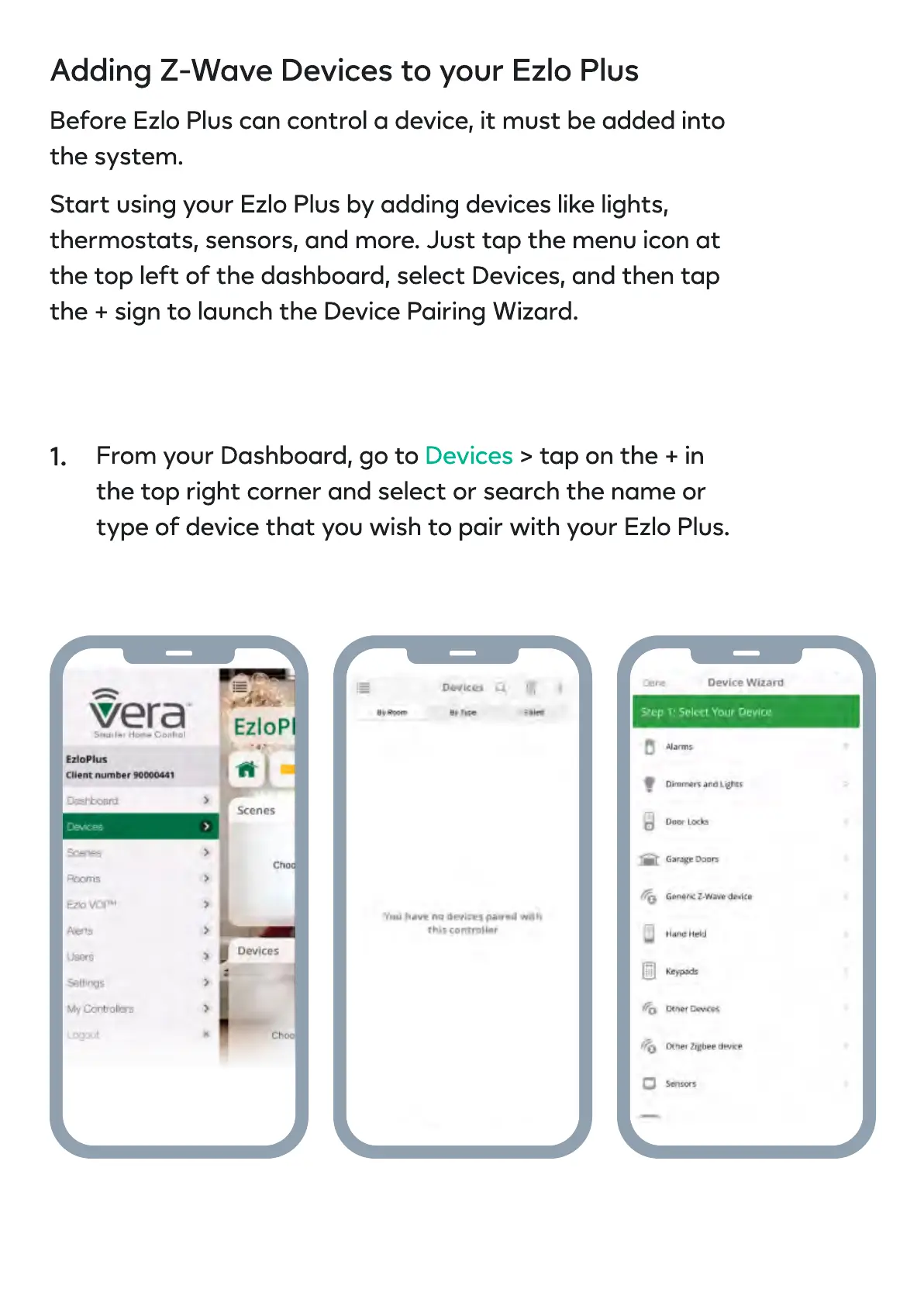
Start using your Ezlo Plus by adding devices like lights,
thermostats, sensors, and more. Just tap the menu icon at
the top left of the dashboard, select Devices, and then tap
the + sign to launch the Device Pairing Wizard.
From your Dashboard, go to > tap on the + in
the top right corner and select or search the name or
type of device that you wish to pair with your Ezlo Plus.
Devices
1.


 To Next Page