4
2
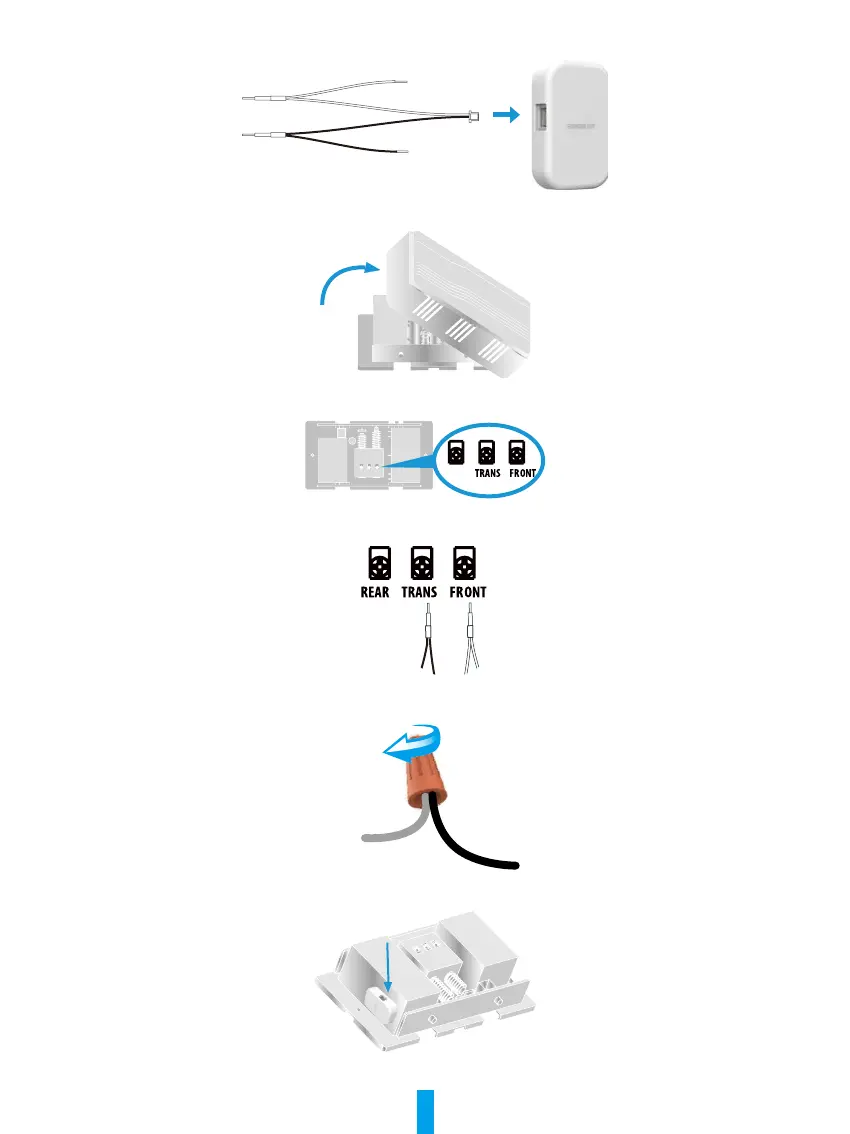
Insert one end of the wire harness into the power kit.
3
Remove the cover from your mechanical chime.
4
Remove the existing chime wires in the terminals named TRANS and FRONT.
TRAN ROSF NTREAR
REAR
5
Connect the wire harness to the chime's terminals named TRANS and FRONT.
6
Insert the existing chime wire and the other end of the wire harness into the wire connector and twist it tightly. Repeat this
step with the other chime wire.
Wire Connector
Wire HarnessChime Wire
7
Mount the power kit to the side of the chime.
8
Put back the chime cover.



 To Next Page