6
Option B
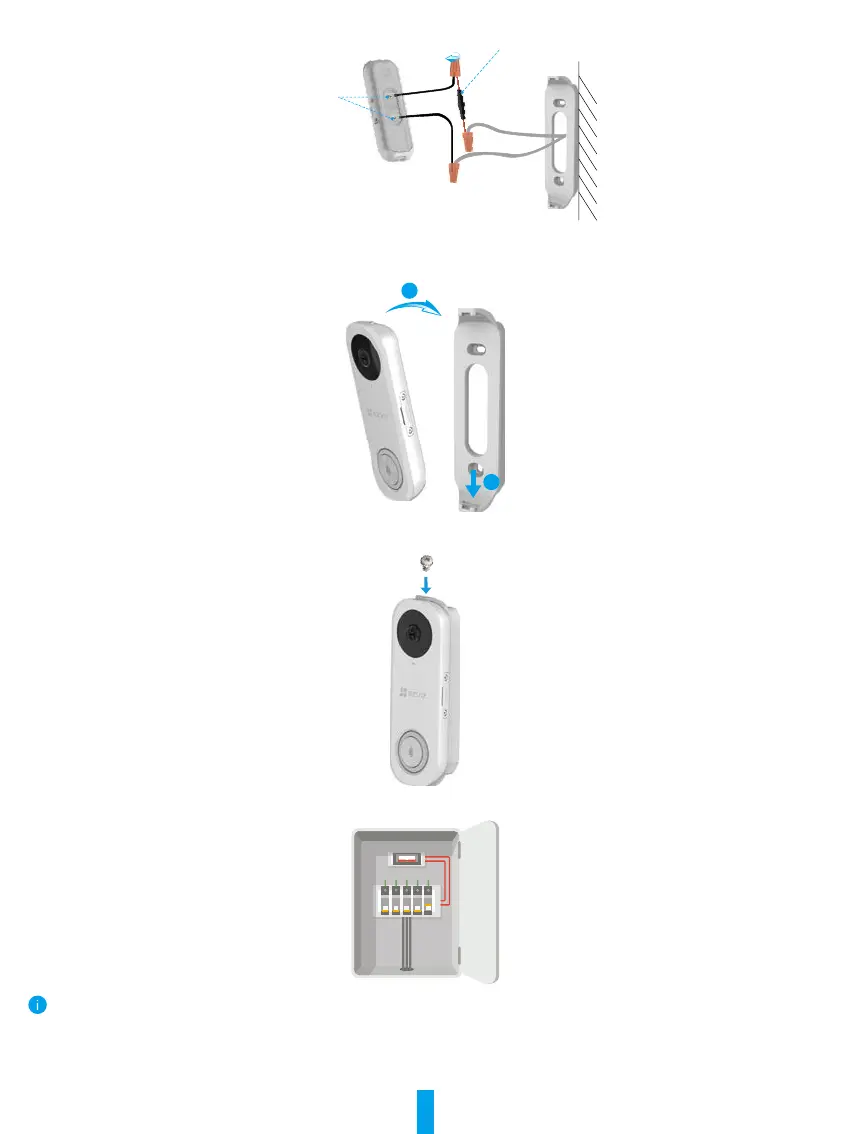
Connect the fuse wire with your existing doorbell wire�
Fuse Wire
Fixing Screw
Power Supply: 16 to 24 VAC
5
Install the doorbell to the mounting plate.
1
2
6
Insert the security screw into the top of the mounting plate to secure the doorbell.
7
Restore the electricity at the breaker.
Doorbell is powered on when its indicator flashes blue quickly. If not, make sure your electricity is off and check the wiring. If yes, proceed to
doorbell setup.



 To Next Page