1
What's in the Box
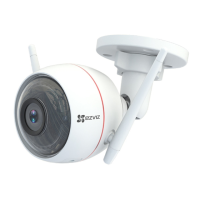
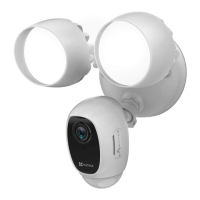
Security Light Camera Screw Kit Quick Start Guide
Security Light Camera
Security Light
Light Adjustment Collar (Rotation)
Light Adjustment Knob (Tilt)
Camera Adjustment Collar
Lens
Micro SD Card Slot
(Behind the Cover)
Reset Button
PIR
Base Screw Cap
Name Description
Light Adjustment Knob (Tilt) Loosen the adjustment knob and tilt the light up to 180°. Tighten the adjustment knob when you have the light in the
position you want.
Light Adjustment Collar
(Rotation)
Loosen the adjustment collar and rotate the light up to 360°. Tighten the adjustment collar when you have the light in
the position you want.
Camera Adjustment Collar Loosen the adjustment collar and rotate the camera up to 360°. Tighten the adjustment collar when you have the
camera in the position you want.
Micro SD Card
(sold separately)
Initialize the card in the EZVIZ app before using it.
Reset Button Hold for 5 seconds to restart and reset all parameters to default.
PIR
With the PIR (Passive Infrared), the device can detect a human body, animals, or other objects.

 To Next Page
 Loading...