EasyManua.ls Logo

Ezviz RC3 - User Manual

Ezviz RC3
27 pages
Print Icon
To Next Page IconTo Next Page
Loading...
Robot Vacuum Cleaner
Question and Answer IconNeed help?

Do you have a question about the Ezviz RC3 and is the answer not in the manual?

Summary

Safety Warning

Product Safety Precautions

Provides essential safety precautions and operational requirements to prevent fire, electric shock, or other injuries.

Regulatory Information

Compliance and Disposal

Details compliance with European standards, WEEE directive for product disposal, and battery directive information.

Technical Parameters

Robot and Charging Base Specifications

Lists specifications for the Robot model, dimensions, weight, battery capacity, voltage, and charging base details.

Overview

Package Contents

Lists all components included in the product box, such as the Robot, charging base, power adapter, and accessories.

Basis

Robot Components and Controls

Details the Robot's buttons, indicators, and physical parts for operation and identification.

Robot Parts Identification

Identifies and labels various parts of the Robot, including wheels, brushes, sensors, and filter components.

Charging Base and Remote Control

Describes the Charging Base indicator and details the functions of each button on the Remote Control for operating the Robot.

Quick Start Guide

Initial Setup

Guides on preparing the environment and installing the charging base for the Robot's first use.

Connecting Power and Removing Shields

Details connecting the power supply to the charging base and removing protective shields before initial use.

Placing, Charging, and Powering On;Off

Covers placing the Robot on the charging base, charging methods, and powering the Robot on and off.

Starting and Pausing Cleaning

Explains how to start, pause, and stop the Robot during a cleaning cycle.

Sleep and System Resetting

Explains how to put the Robot into Sleep Mode and how to reset the system to factory settings.

Routine Maintenance

Dust Box and Filter Maintenance

Details procedures for emptying the dust box and cleaning its filter.

Main Brush Maintenance

Guides on cleaning and replacing the main brush, including removing tangled hair.

Side Brush Maintenance

Explains how to clean and replace the side brush.

Wheel and Sensor Cleaning

Details how to clean the universal wheel and wipe dust off the Robot's sensors.

Charging Electrode Cleaning

Explains how to wipe dust off the Charging Electrodes on the Robot and Charging Base.

Environmental Precautions

Battery Disposal and Environmental Impact

Addresses environmental pollution from the lithium-ion battery and provides guidance on proper disposal and recycling.

FAQ

Common Robot Issues and Solutions

Provides answers to common problems like starting, stopping, scheduling, suction, and charging issues.

List of Faults

Voice Prompts and Error Solutions

Provides a list of voice prompts indicating specific faults and their corresponding solutions.

Appendix

Rechargeable Lithium ion Battery Details

Details the chemical composition, CAS numbers, and weight percentages of the materials in the Robot's battery.

Household Waste Information

Provides guidance on waste equipment disposal, battery return options, and privacy notices for consumers.

Summary

Safety Warning

Product Safety Precautions

Provides essential safety precautions and operational requirements to prevent fire, electric shock, or other injuries.

Regulatory Information

Compliance and Disposal

Details compliance with European standards, WEEE directive for product disposal, and battery directive information.

Technical Parameters

Robot and Charging Base Specifications

Lists specifications for the Robot model, dimensions, weight, battery capacity, voltage, and charging base details.

Overview

Package Contents

Lists all components included in the product box, such as the Robot, charging base, power adapter, and accessories.

Basis

Robot Components and Controls

Details the Robot's buttons, indicators, and physical parts for operation and identification.

Robot Parts Identification

Identifies and labels various parts of the Robot, including wheels, brushes, sensors, and filter components.

Charging Base and Remote Control

Describes the Charging Base indicator and details the functions of each button on the Remote Control for operating the Robot.

Quick Start Guide

Initial Setup

Guides on preparing the environment and installing the charging base for the Robot's first use.

Connecting Power and Removing Shields

Details connecting the power supply to the charging base and removing protective shields before initial use.

Placing, Charging, and Powering On;Off

Covers placing the Robot on the charging base, charging methods, and powering the Robot on and off.

Starting and Pausing Cleaning

Explains how to start, pause, and stop the Robot during a cleaning cycle.

Sleep and System Resetting

Explains how to put the Robot into Sleep Mode and how to reset the system to factory settings.

Routine Maintenance

Dust Box and Filter Maintenance

Details procedures for emptying the dust box and cleaning its filter.

Main Brush Maintenance

Guides on cleaning and replacing the main brush, including removing tangled hair.

Side Brush Maintenance

Explains how to clean and replace the side brush.

Wheel and Sensor Cleaning

Details how to clean the universal wheel and wipe dust off the Robot's sensors.

Charging Electrode Cleaning

Explains how to wipe dust off the Charging Electrodes on the Robot and Charging Base.

Environmental Precautions

Battery Disposal and Environmental Impact

Addresses environmental pollution from the lithium-ion battery and provides guidance on proper disposal and recycling.

FAQ

Common Robot Issues and Solutions

Provides answers to common problems like starting, stopping, scheduling, suction, and charging issues.

List of Faults

Voice Prompts and Error Solutions

Provides a list of voice prompts indicating specific faults and their corresponding solutions.

Appendix

Rechargeable Lithium ion Battery Details

Details the chemical composition, CAS numbers, and weight percentages of the materials in the Robot's battery.

Household Waste Information

Provides guidance on waste equipment disposal, battery return options, and privacy notices for consumers.

Overview

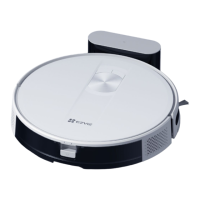
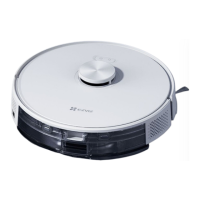
This document describes the EZVIZ RC3 Robot Vacuum Cleaner, a device designed for automated floor cleaning in home environments. It is not intended for outdoor use, non-ground environments (like stairs), or industrial settings.

Function Description:

The EZVIZ RC3 Robot Vacuum Cleaner is a smart appliance that automates floor cleaning. It features various cleaning modes, including full-house cleaning (zigzagging followed by wall cleaning), fixed-point cleaning (spiraling outwards and inwards from a central point), and along-wall cleaning. The robot can be controlled via an operation panel on the device itself or through a remote control. It is equipped with sensors to navigate and avoid obstacles, and it automatically returns to its charging base for recharging after completing a cleaning task or when its battery is low. The device is designed to collect dust, dirt, and small debris from floors.

Important Technical Specifications:

  • Model: CS-RC3-TWT2, CS-RC3-TWT5
  • Overall Dimension: 345×345×78.5 mm
  • Weight: Approx. 2.83 kg
  • Battery Capacity: 2,600 mAh
  • Battery Rated Voltage: 14.4 V
  • Rated Input (Robot): 24V === 1A
  • Rated Power (Robot): 30W
  • Charging Base Model: CS-RE5-CB
  • Rated Input Voltage (Power Adapter): 220-240V~, 50/60Hz
  • Rated Output (Charging Base): 24V === 1A
  • Battery Type: Lithium-ion (non-removable, containing no more than 8 cells with a rated capacity of no more than 2600mAh).
  • Filter: High-performance filter (two included, one pre-installed).

Usage Features:

  • Power On/Off: The robot can be powered on by pressing and holding the Cleaning/On-off button for 4 seconds on the operation panel. If docked to the Charging Base, it powers on automatically. To power off, press and hold the Cleaning/On-off button for 4 seconds when not in the Charging Base.
  • Charging: The robot supports automatic recharging (returns to base after cleaning) and manual recharging (short press the Recharge button when paused). A full charge takes approximately 5 hours.
  • Cleaning Modes:
    • Full-house Cleaning: Initiated by a short press of the Cleaning/On-off button. The robot cleans in a zigzag pattern and then along walls.
    • Fixed-point Cleaning: Activated by pressing the Fixed-point Vacuum button on the remote control. The robot vacuums spirally with a 1.5m diameter around its current location.
    • Along-wall Cleaning: Activated by pressing the Sweep Along the Wall button on the remote control. The robot cleans along the walls and then automatically enters Recharge Mode.
  • Pause/Stop Cleaning: Pressing the Start/pause button on the remote control or the Cleaning/On-off button on the robot pauses cleaning. Pressing the Start/pause button again or the Cleaning/On-off button again stops the current task.
  • Suction Regulation: The suction level can be adjusted using the Suction Regulation button on the remote control (Standard or Max).
  • Time Settings: The time on the robot's display can be set using the Time Settings button on the remote control.
  • Appointment Settings: Cleaning schedules can be set using the Appointment Settings button on the remote control.
  • Sleep Mode: The robot automatically enters sleep mode after 10 minutes of inactivity or if fully charged and inactive for 10 minutes. It can also be manually put to sleep via the remote control.
  • System Resetting: In Standby Mode, pressing and holding the Cleaning/On-off button and Recharge button simultaneously for 15 seconds resets the system to factory settings.
  • Remote Control: Operates within a 7m infrared signal range and requires a visible line of sight to the robot's infrared receiving terminal.

Maintenance Features:

Regular maintenance is crucial for optimal performance.

  • Dust Box: Should be dumped every 2 weeks. To do so, press the Dust Box Taking-out Button, pull out the Dust Box, and empty it.
  • Filter: High-performance filters should be cleaned every 2 weeks and replaced every 3-6 months. Remove the filter from the filter box, clean it with the Cleaning Tool, and flush with water if necessary. Ensure all cleaned elements are thoroughly dried (24 hours) before re-installation. Do not use hot water or detergent.
  • Main Brush: Should be cleaned every week and replaced every 6-12 months. Press the buckles to remove the Main Brush cover and Main Brush. Use the blade of the Cleaning Tool to cut off entangled hair and remove the roller for cleaning.
  • Side Brush: Should be cleaned every 2 weeks and replaced every 3-6 months. Pull out the side brush to clean foreign matters like hairs, then press a new one into position if replacing.
  • Universal Wheel: Should be cleaned every week. Pull up the Universal Wheel by hand, clean it with the hidden Cleaning Tool, and re-install.
  • Sensors (Edge Sensor, Recharge Sensor, Cliff Sensor, Infrared Receiving Terminal): Should be wiped clean with a soft dry cloth every week.
  • Front Bumper: Should be cleaned every week.
  • Charging Electrode: Should be wiped clean with a soft dry cloth every week.
  • Drive Wheel: Should be cleaned every week.

Safety Precautions:

  • Not for use by children under 8 years old or individuals with reduced physical, sensory, or mental capabilities without supervision.
  • Do not suction high-temperature substances (cigarette butts, matches, hot ashes), superfine substances (lime, cement, sawdust), or large sharp fragments (glass).
  • Use only the EZVIZ Charging Base CS-RE5-CB and manufacturer-recommended accessories.
  • Do not use outdoors or on wet surfaces.
  • Unplug before servicing.
  • Dispose of used batteries according to local laws.
  • Avoid using in environments with open fire, fragile objects, waterlogged floors, or extreme temperatures (above 40°C or below 0°C).
  • Do not clean flammable materials (gasoline, toner) or burning items (matches, cigarettes).
  • Clean the suction port regularly to prevent blockages from dust, cotton, or hair.
  • Do not touch the plug or electrified parts with wet hands.
  • Turn off power and unplug if not in use for a long time.
  • Clean the RGB camera and edge sensors regularly to maintain performance.

Ezviz RC3 Specifications

General IconGeneral
BrandEzviz
ModelRC3
CategoryVacuum Cleaner
LanguageEnglish

Related product manuals