EasyManua.ls Logo

Ezviz RH1 - User Manual

Ezviz RH1
14 pages
Print Icon
To Next Page IconTo Next Page
Loading...
COPYRIGHT © Hangzhou EZVIZ Software Co., Ltd. ALL RIGHTS RESERVED.
Any and all information, including, among others, wordings, pictures, graphs are the
properties of Hangzhou EZVIZ Software Co., Ltd. (hereinafter referred to as “EZVIZ”). This
user manual (hereinafter referred to as “the Manual”) cannot be reproduced, changed,
translated, or distributed, partially or wholly, by any means, without the prior written
permission of EZVIZ. Unless otherwise stipulated, EZVIZ does not make any warranties,
guarantees or representations, express or implied, regarding to the Manual.
About this Manual
The Manual includes instructions for using and managing the product. Pictures, charts,
images and all other information hereinafter are for description and explanation only.
The information contained in the Manual is subject to change, without notice, due to
rmware updates or other reasons. Please nd the latest version in the ™ website
(http://www.ezviz.com).
Revision Record
New release – January, 2022
Trademarks Acknowledgement
™, ™, and other EZVIZ’s trademarks and logos are the properties of EZVIZ in various
jurisdictions. Other trademarks and logos mentioned below are the properties of their
respective owners.
Legal Disclaimer
TO THE MAXIMUM EXTENT PERMITTED BY APPLICABLE LAW, THE PRODUCT
DESCRIBED, WITH ITS HARDWARE, SOFTWARE AND FIRMWARE, IS PROVIDED
AS IS”, WITH ALL FAULTS AND ERRORS, AND EZVIZ MAKES NO WARRANTIES,
EXPRESS OR IMPLIED, INCLUDING WITHOUT LIMITATION, MERCHANTABILITY,
SATISFACTORY QUALITY, FITNESS FOR A PARTICULAR PURPOSE, AND
NON-INFRINGEMENT OF THIRD PARTY. IN NO EVENT WILL EZVIZ, ITS DIRECTORS,
OFFICERS, EMPLOYEES, OR AGENTS BE LIABLE TO YOU FOR ANY SPECIAL,
CONSEQUENTIAL, INCIDENTAL, OR INDIRECT DAMAGES, INCLUDING, AMONG OTHERS,
DAMAGES FOR LOSS OF BUSINESS PROFITS, BUSINESS INTERRUPTION, OR LOSS OF
DATA OR DOCUMENTATION, IN CONNECTION WITH THE USE OF THIS PRODUCT, EVEN
IF EZVIZ HAS BEEN ADVISED OF THE POSSIBILITY OF SUCH DAMAGES.
TO THE MAXIMUM EXTENT PERMITTED BY APPLICABLE LAW, IN NO EVENT SHALL
EZVIZ’S TOTAL LIABILITY FOR ALL DAMAGES EXCEED THE ORIGINAL PURCHASE PRICE
OF THE PRODUCT.
EZVIZ DOES NOT UNDERTAKE ANY LIABILITY FOR PERSONAL INJURY OR
PROPERTY DAMAGE AS THE RESULT OF PRODUCT INTERRUPTION OR SERVICE
TERMINATION CAUSED BY: A) IMPROPER INSTALLATION OR USAGE OTHER THAN
AS REQUESTED; B) THE PROTECTION OF NATIONAL OR PUBLIC INTERESTS;
C) FORCE MAJEURE; D) YOURSELF OR THE THIRD PARTY, INCLUDING WITHOUT
LIMITATION, USING ANY THIRD PARTY’S PRODUCTS, SOFTWARE, APPLICATIONS, AND
AMONG OTHERS.
REGARDING TO THE PRODUCT WITH INTERNET ACCESS, THE USE OF PRODUCT SHALL
BE WHOLLY AT YOUR OWN RISKS. EZVIZ SHALL NOT TAKE ANY RESPONSIBILITES FOR
ABNORMAL OPERATION, PRIVACY LEAKAGE OR OTHER DAMAGES RESULTING FROM
CYBER ATTACK, HACKER ATTACK, VIRUS INSPECTION, OR OTHER INTERNET SECURITY
RISKS; HOWEVER, EZVIZ WILL PROVIDE TIMELY TECHNICAL SUPPORT IF REQUIRED.
SURVEILLANCE LAWS AND DATA PROTECTION LAWS VARY BY JURISDICTION.
PLEASE CHECK ALL RELEVANT LAWS IN YOUR JURISDICTION BEFORE USING THIS
PRODUCT IN ORDER TO ENSURE THAT YOUR USE CONFORMS TO THE APPLICABLE
LAW. EZVIZ SHALL NOT BE LIABLE IN THE EVENT THAT THIS PRODUCT IS USED WITH
ILLEGITIMATE PURPOSES.
IN THE EVENT OF ANY CONFLICTS BETWEEN THE ABOVE AND THE APPLICABLE LAW,
THE LATTER PREVAILS.

Question and Answer IconNeed help?

Do you have a question about the Ezviz RH1 and is the answer not in the manual?

Overview

This document describes a vacuum cleaner from EZVIZ, focusing on its functions, technical specifications, usage, and maintenance.

Function Description:

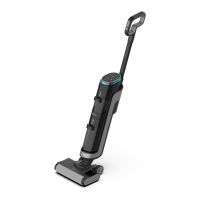
The EZVIZ vacuum cleaner is designed for household cleaning, capable of both dry and wet cleaning. It features multiple cleaning modes (Auto, Standard, Power) to adapt to different levels of dirtiness. The device includes separate buckets for clean and dirty water, ensuring that clean water is always used for cleaning. It also has a self-cleaning function for the rolling brush and an air-dry feature to prevent odors and maintain brush hygiene. The vacuum cleaner is equipped with a dirt degree sensor that indicates the level of floor cleanness, guiding the user on appropriate cleaning intensity.

Important Technical Specifications:

  • Power: The device operates on battery power, requiring approximately 4 ± 0.5 hours for a full charge.
  • Water Temperature: Clean water added to the bucket should be lower than 60°C (140°F).
  • Cleaning Solution: Requires half a bottle cap (about 3.5ml) of cleaning solution per fill of the clean water bucket.
  • Dirt Degree Sensor: Indicates cleanness with color codes: Purple (very dirty), Yellow (a little dirty), Blue (normal), Red (dirt degree sensor may be covered by dirt).
  • HEPA Filter: High Efficiency Particulate Air Filter for effective air filtration. Recommended replacement every 2-3 months.
  • Rolling Brush: Designed for efficient cleaning, with a recommended replacement every 2-3 months.

Usage Features:

  • Installation: The handle is easily installed by inserting it vertically until a 'click' sound is heard, ensuring it is tight and firm.
  • Charging: The device is charged by placing it on the charging base, connected to a power adapter. The display screen shows battery storage, and a voice prompt indicates a full charge. It's recommended to keep the device upright during charging to prevent falling.
  • Language Change: While charging, pressing and holding the Mode Button for 3 seconds enters language changing mode. Languages available include English, French, German, and Italian. The default language is English.
  • Adding Clean Water: The clean water bucket is removed, filled with clean water and cleaning solution, then reinstalled.
  • Starting Cleaning: The device is started by taking it off the charging base, stepping on the brush head, tilting the device backward, and pressing the Power Button for about 3 seconds.
  • Cleaning Modes: The Mode Button allows switching between Auto Mode (default), Standard Mode, and Power Mode. Power Mode is recommended for heavily soiled environments.
  • Self-cleaning: This function is activated by pressing the Self-cleaning Button while the device is on the charging base. The process takes about 2 minutes. It is highly recommended to clean the dirty water bucket after self-cleaning.
  • Rolling Brush Air Dry: Automatically activates when charging. The rolling brush rotates every 3 minutes for about 2 hours to ensure even and thorough drying.
  • Voice Mode: Pressing and holding the Self-cleaning Button for 3 seconds toggles voice mode on/off.
  • Safety Precautions:
    • Do not clean with alcohol or foam liquid.
    • The device has a vertical switch; lean it before use.
    • The tilt angle should not exceed 140 degrees to prevent water leakage.
    • Ensure the clean water bucket cover is tight after refilling.
    • Do not hold the dirty water bucket by its cover, as the body may drop.

Maintenance Features:

  • Main Device Body: Clean with a wrung-out cleaning cloth and water or neutral detergent. Prevent water from entering electrical elements.
  • Dirt Degree Sensor: If the LED indicator ring shows full-red or flashes full-red without obvious dirt, the sensor may be covered. Remove the dirty water bucket and wipe the sensor in the channel with a wet rag or use provided cleaning tools.
  • Dirty Water Bucket/Floater/Dirt Separator:
    • The device will stop and prompt when the dirty water bucket is full.
    • Remove the dirty water bucket, open the cover, take out the dirt separator, pour out dirty water, and clean any dirty marks with a small cleaning tool.
    • Always hold the bucket, not the cover, to prevent it from dropping.
    • Reinstall the components, ensuring a 'click' sound for successful installation.
  • HEPA Filter:
    • Remove the HEPA from the top of the dirty water bucket.
    • Clean with clean water and dry thoroughly before reinstalling.
    • A wet HEPA can affect device performance.
    • Recommended replacement every 2-3 months.
  • Rolling Brush:
    • Press the button on the left side of the device to remove the rolling brush.
    • Remove hairs or chippings wrapped around the brush heads using a cleaning brush.
    • Wash the rolling brush.
    • Clean the water-spraying channel and suction nozzle with the cleaning brush or a wet rag. Rinsing the suction nozzle with water is forbidden.
    • If there's water leakage or no water from the rolling brush, check and clean the water-spraying channel and suction nozzle for waste and dirty marks.
    • Recommended replacement every 2-3 months.
  • Waste Battery Handling: Before discarding the device, the battery must be removed. Power off the device before removal. Handle waste batteries safely; do not dispose of them in fire, water, or soil. If skin or clothing contacts leaked battery liquid, wash with clean water and seek medical attention.

Troubleshooting (FAQ):

The manual provides solutions for common issues such as:

  • Power bar flashing: Restart device after clearing blockages in tubes.
  • Device not working: Fully charge battery, clean rolling brush, empty dirty water bucket, reinstall components.
  • Suction power weakening: Clean rolling brush, clear foreign matters in suction nozzle, clean filter, fully charge battery, clean and dry HEPA.
  • Abnormal motor sound: Empty dirty water bucket, clean and dry HEPA.
  • Failed to be charged: Check and connect charger interface.
  • No water out of rolling brush: Add water to clean water bucket, reinstall clean water bucket.
  • Water leakage in air outlet: Install HEPA properly, install dirt separator, dry HEPA thoroughly after washing, empty dirty water bucket.

For additional information, users are directed to www.ezviz.com/eu.

Ezviz RH1 Specifications

General IconGeneral
BrandEzviz
ModelRH1
CategoryVacuum Cleaner
LanguageEnglish

Related product manuals