4
AV INPUT
Follow the steps below to access the accessories you have installed on the
device’s AV inputs.
1°. Select the auxiliary entry on the multimedia menu;
2°. Press and hold the “Reject Call” button on the steering wheel to access the
device AV mode;
3°. Simply touch that same button to toggle between AV1(DVD) and AV2(TV) if
they are installed;
4°. Press and hold the “Reject Call” button to return to the original menu.
FRONT CAMERA
The front camera will be automatically shown after you put the car on reverse
and then out of reverse. The front camera will be shown on the screen for 30
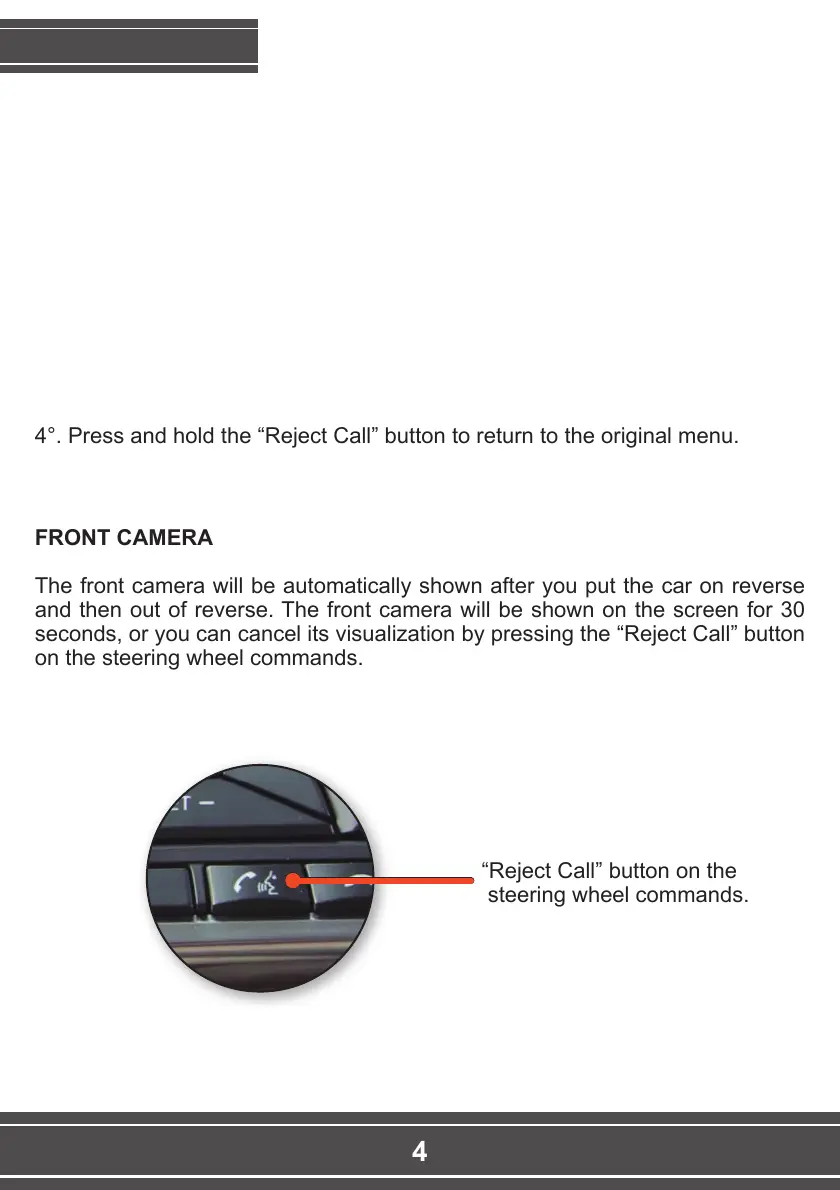
seconds, or you can cancel its visualization by pressing the “Reject Call” button
on the steering wheel commands.
FUNCTIONING
“Reject Call” button on the
steering wheel commands.



 To Next Page