6
[Video]
Turn OFF/ON Radio Frequency Receiving
Press & hold the PROGRAM button on the MOTOR, releasing after the 2nd job (4-6 seconds).
The motor will beep/jog 2 times confirming RF receiving has been turned OFF.
Switch between Jog Mode and Normal Mode
1. Press & hold (UP+DOWN) for five seconds, the motor will jog once.
2. Press STOP once, the motor will jog twice and beep three times to signal the mode has
changed.
Turn RF ON: Press the PROGRAM button on the MOTOR once to reactivate RF receiving.
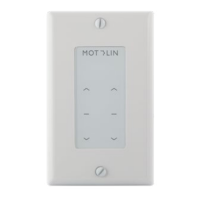
Our In-Wall remotes follow the same programming as our Surface Mount remotes. You may defer to
this instuctional video on surface mount remotes as an additional resource:
Enter User Mode
Press & hold STOP until the blue indicator light on the remote stops flashing and turns solid
blue (approximately 15 seconds) to enter User Mode. This will prevent the user from using button
combinations and accidentally making programming changes.
Repeat the process to switch back to Programming Mode.
Motolin motors have an advanced feature that allows dual button presses to work. To prevent
accidental programming when users press and hold 2 buttons at once, it is recommended to put the
remote into User Mode after programming is complete.


 To Next Page
 Loading...