FC-MICRO-HD-OP-EN - 11 -
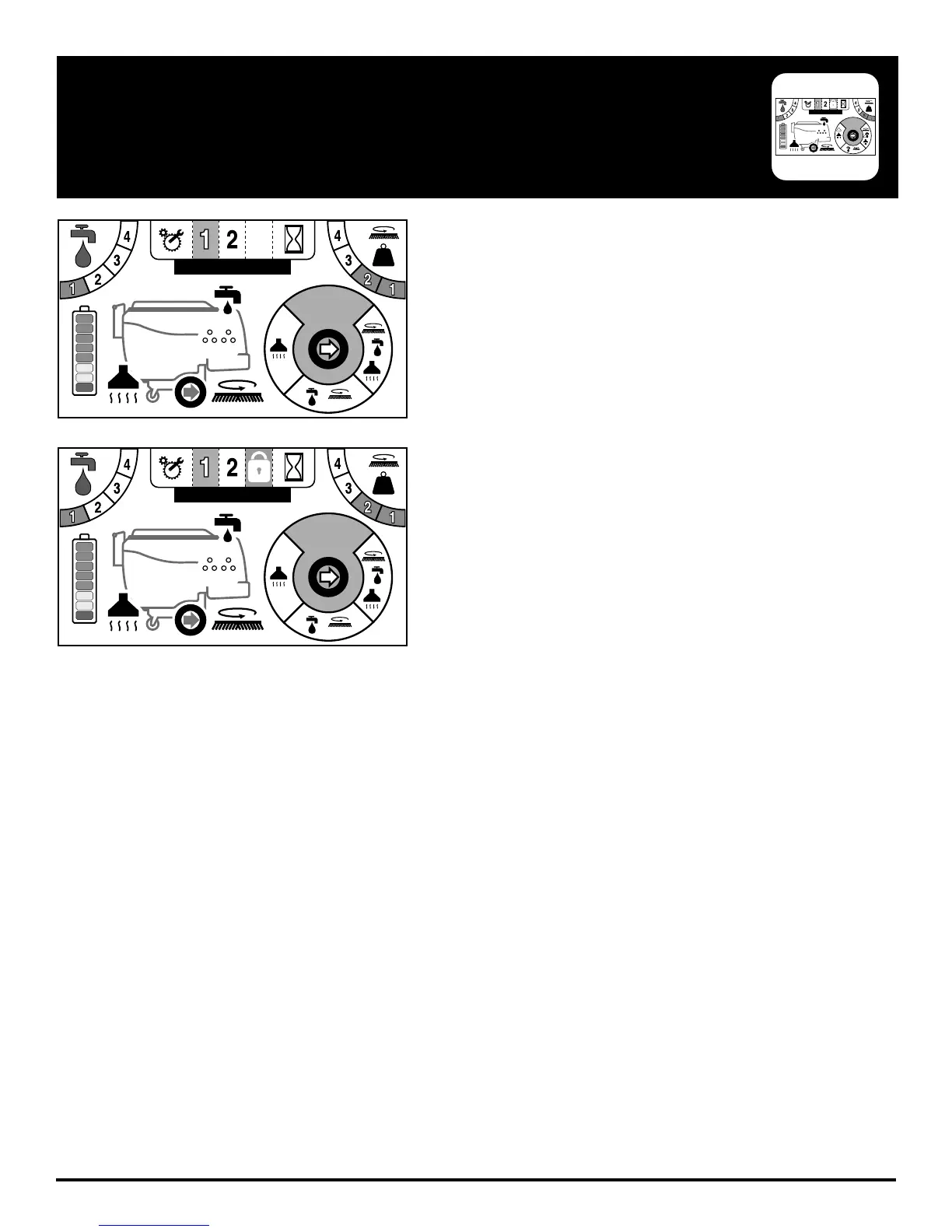
The touch screen is designed to be programmed to three specifi c
zones. Each zone can be named and custom programmed or even
disabled if not needed.
The zone you are working in is highlighted as indication. In Figure 1.
the zone selected is Zone 1.
Figure 2. shows Zone 3 “locked out” by the indicator lock icon.
TOUCH SCREEN ZONE OPERATION (OPTIONAL)
3
#1 NAME
SUDSSUDS
3
#1 NAME
SUDSSUDS
3
#1 NAME
SUDSSUDS


 To Next Page