- 12 - FC-MINI-HD-OP-EN
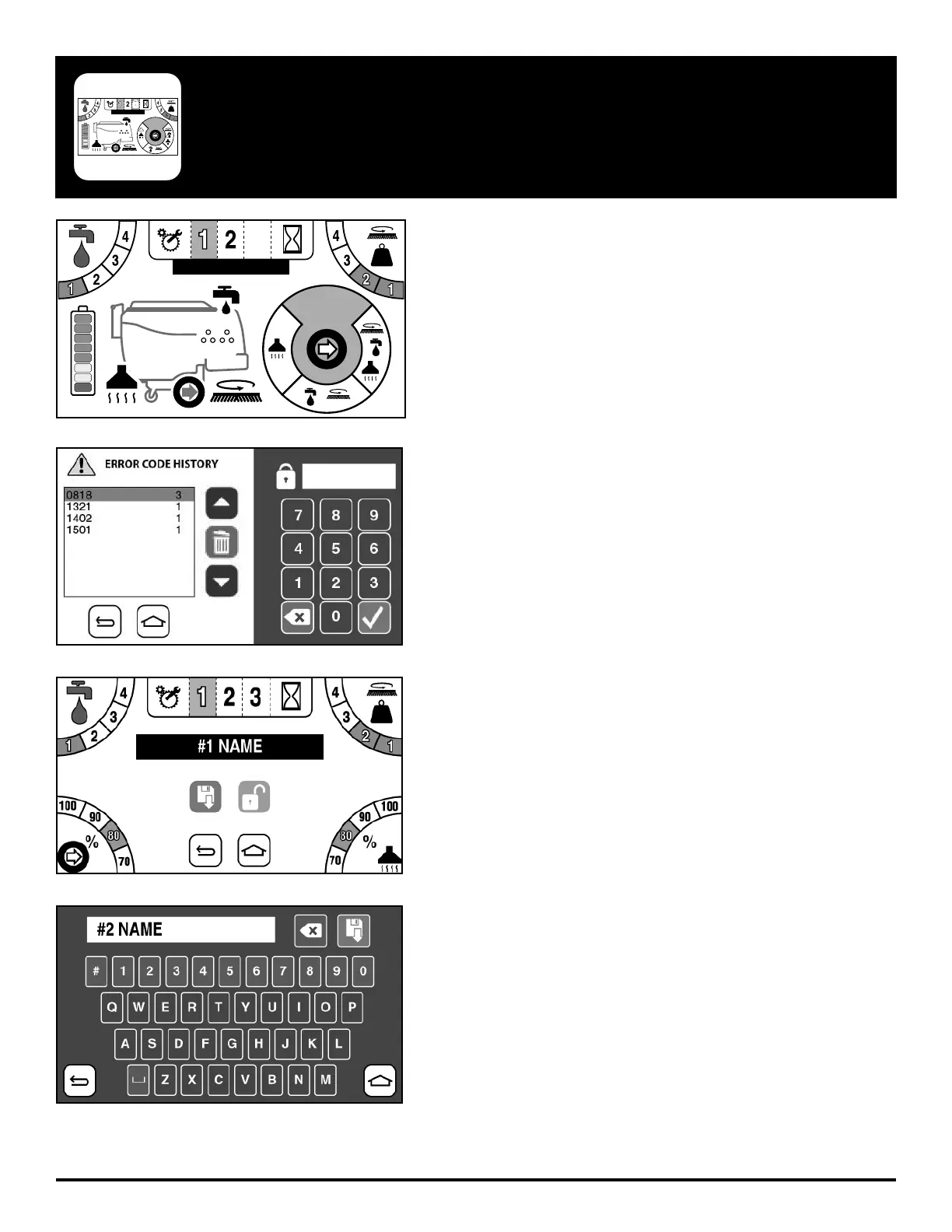
To program the Zones, go to the Setup page by clicking on the Setup
wrench and gear icon to the left of the Zone number buttons.
From here you will be prompted with a passcode screen. Enter the
manager passcode to get access to setup.
Once you have entered the password, you will see the Figure 3.
screen where you can alter the name, solution output, down-pressure
setting, scrubbing speed, and vacuum power.
Alternatively you can lock the Zone out from this screen.
To alter the name of a Zone, simply click on the black name box and
a full keyboard will appear as Figure 4. shows.
TOUCH SCREEN ZONE PROGAMMING (OPTIONAL)
3
#1 NAME
SUDSSUDS
3
#1 NAME
SUDSSUDS



 To Next Page