Edit mode
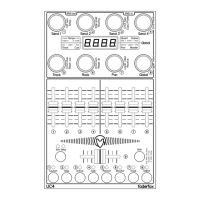
The edit mode allows the programming of the controls (encoders, push buttons, faders, green buttons).
Start edit mode by holding shift key and press edit key. The activated edit mode is indicated by the red
edit-LED. To leave edit mode please press the edit button again without shift. Press any encoder shortly to
see the function behind. Setup data will be stored automatically by leaving the edit mode.
To edit any control choose the group (see controller mode), select the control by encoder 1
and then set different properties by the encoders 2 to 8 (see below).
To copy properties separately to all controls in same group, hold down the encoder push button of encoder
2,3,4,5,7 or 8 while running bar lines shown. This makes editing much faster if you want to have same
functions on all controls in same group.
To assign number, channel and type by incoming midi commands (learn mode) please hold down the
encoder 6 until the left display point flashes and then send any valid command (control change, program
change, aftertouch, pitch bend or note). The display point will be off after receiving a valid command or
pushing the encoder 6 again.
Group names can be modified in edit mode by holding shift and turning encoder 1 to 4.
---- 4 lines in the display means that the property isn’t available
Control number (Encoder 1)
Enc1....Enc8 select encoder 1 to 8 for editing
Pbt1....Pbt8 select encoder push button 1 to 8 for editing
btn1....btn8 select green button 1 to 8 for editing
FAd1....Fad9 select Fader 1 to 9 for editing
Display scale (Encoder 2)
Encoder / fader:
OFF no display control
Std standard display-control (0 to 127) by the device and by external command
bPoL bipolar display-control (-63 to 63) by the device and by external command
Green button:
OFF no LED control
Std standard LED control by the device and by external command
EXt LED control only by external commands
(external control by feedback data with same commands as corresponding buttons).


 To Next Page
 Loading...