Daily Care and Maintenance
1918
Cleaning and Storage
If you see stains on the bike body, wipe them off with a damp cloth. If the stains won't scrub off, put on some
toothpaste, and brush them with a tooth brush, then wipe them off with a damp cloth.
Notes: do not clean the bike with alcohol, gasoline, kerosene or other corrosive and volale chemical solvents to
prevent dire damage. Do not wash the bike with a high-pressure water spray. During cleaning, make sure that the bike
turned off, the charging cable is unplugged, and the rubber flap is closed as water leakage may result in electric shock
or other major problems. When the bike not in use, keep it indoors where it is dry and cool between 14°F and 104°F.
In extremely humid environments the interior of the bike may suffer condensaon or even water accumulaon, which
may damage the baery rapidly.
Baery Maintenance
1. Use original baery packs, use of other models or brands may bring about safety issues;
2. Do not touch the contacts. Do not dismantle or puncture the casing. Keep the contacts away from metal objects to
prevent short circuit which may result in baery damage or even injuries and deaths;
3. Use original power adapter to avoid potenal damage or fire;
4. Mishandling of used baeries may do tremendous harm to the environment.
5. Aer every use, fully charge the baery to prolong its life span.
6. Try to avoid recharging the bike aer completely exhausng the baery. If the
Baery power is low, charge it as soon as possible.
7. Charge the baery every month if it is not in use.
Display Control
P08: Speed limit: range 0-100km/h, note: the value here is based on kilometres, when the unit seng is converted
from kilometres to miles, the speed value in the display interface is automacally converted to the correct mile value,
but the speed limit value data set at this menu under the mile interface is not converted and is not consistent with
the actual display of the mile speed limit value.
P09: Zero start, non-zero start seng, 0: zero start; 1: non-zero start.
P10: Drive mode seng 0: assisted drive 1: electric drive 2: assisted drive + electric drive.P11: Boost sensivity seng
Range: 1-24.
P12: Boost start intensity seng Range: 1-5.
P13: Boost magnet disc type seng 5, 8, 12 magnets three types.
P14: Controller current limit value seng Default 12A Range: 1-20A.
P15: Controller undervoltage value seng.
P16: ODO zero seng Long press the upper key for 5 seconds to clear ODO.
P17: 0: no cruise enable, 1: cruise enable; auto cruise oponal (only valid for protocol 2).
P18: Speed proporonal adjustment Range: 50%~150%.
P19: 0: with 0 gear, 1: without 0 gear
P20: 0: protocol 2 1: 5S protocol 2: standby 3: standby
2.Menu opon parameter modificaon operaon
Aer the instrument is turned on, press and hold the key + key at the same me to enter the P01 menu
interface, short press the key to switch to the next menu; in the current menu, short press the key and
key to modify the current menu parameters; aer modificaon, short press the key to switch to the next menu.
Aer the menu parameters have been modified, press and hold the key + key again to exit the menu
interface and return to the normal display interface.
The P16 menu parameter value is the current total accumulated mileage, the value cannot be modified but can be
cleared. Press and hold the key for 5 seconds to clear the total accumulated mileage.
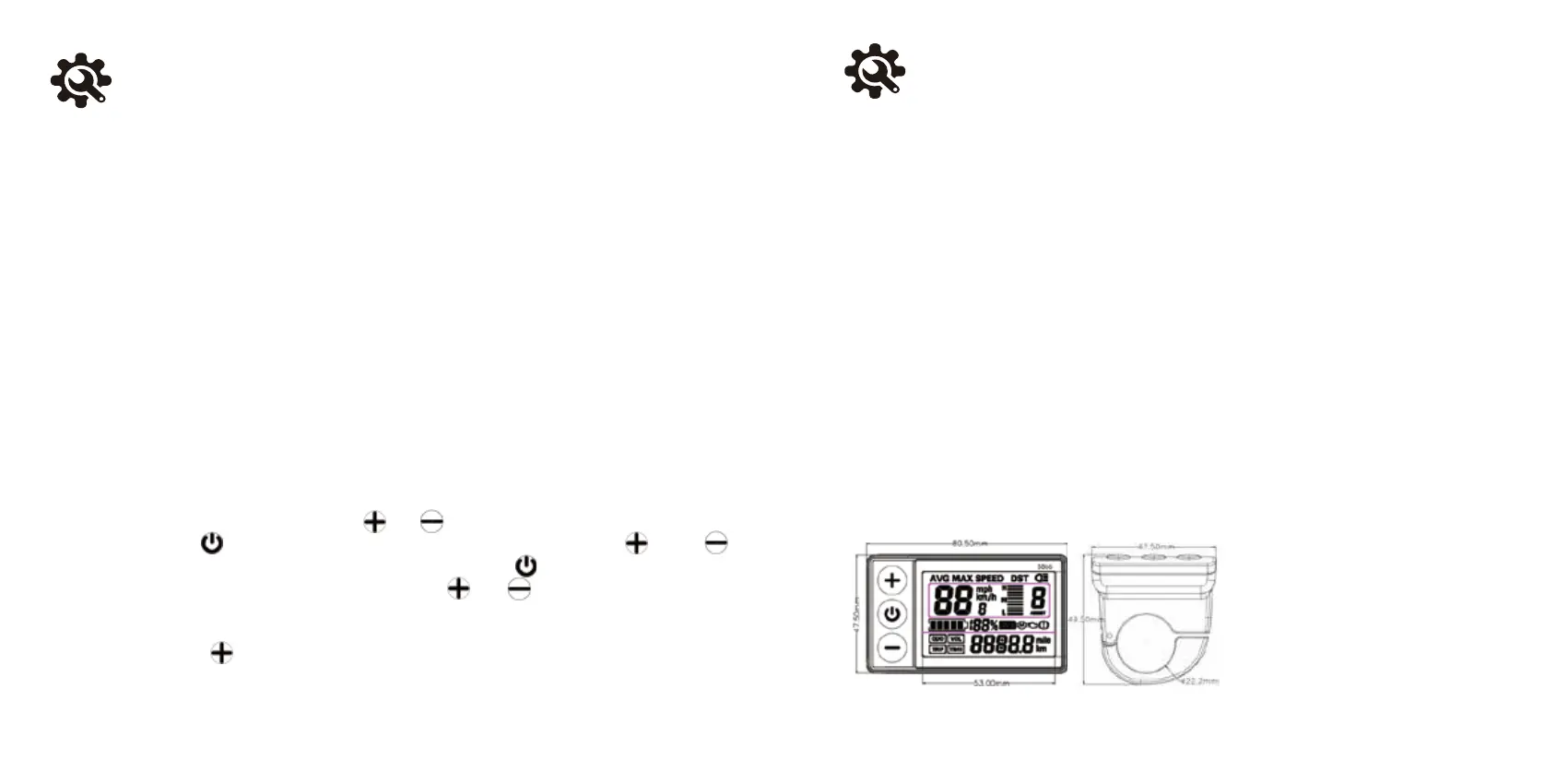
3.Dimensions of the instrument body and wiring diagram.


 To Next Page