Display Control Display Control
16 17
II. Funcon operaon
1. Power on and off
Press and hold the key to switch on; press and hold the key to switch off. When the vehicle is stopped and
the instrument has not been operated for 10 consecuve minutes, the instrument will automacally switch off and
power off the electric vehicle.
2. Display interface
2.1 Switching on the lights
2.2 Power gear switching
2.3 6km/h help push funcon
2.4 Mulfunconal area display
3. Fault code display
III. Menu item seng
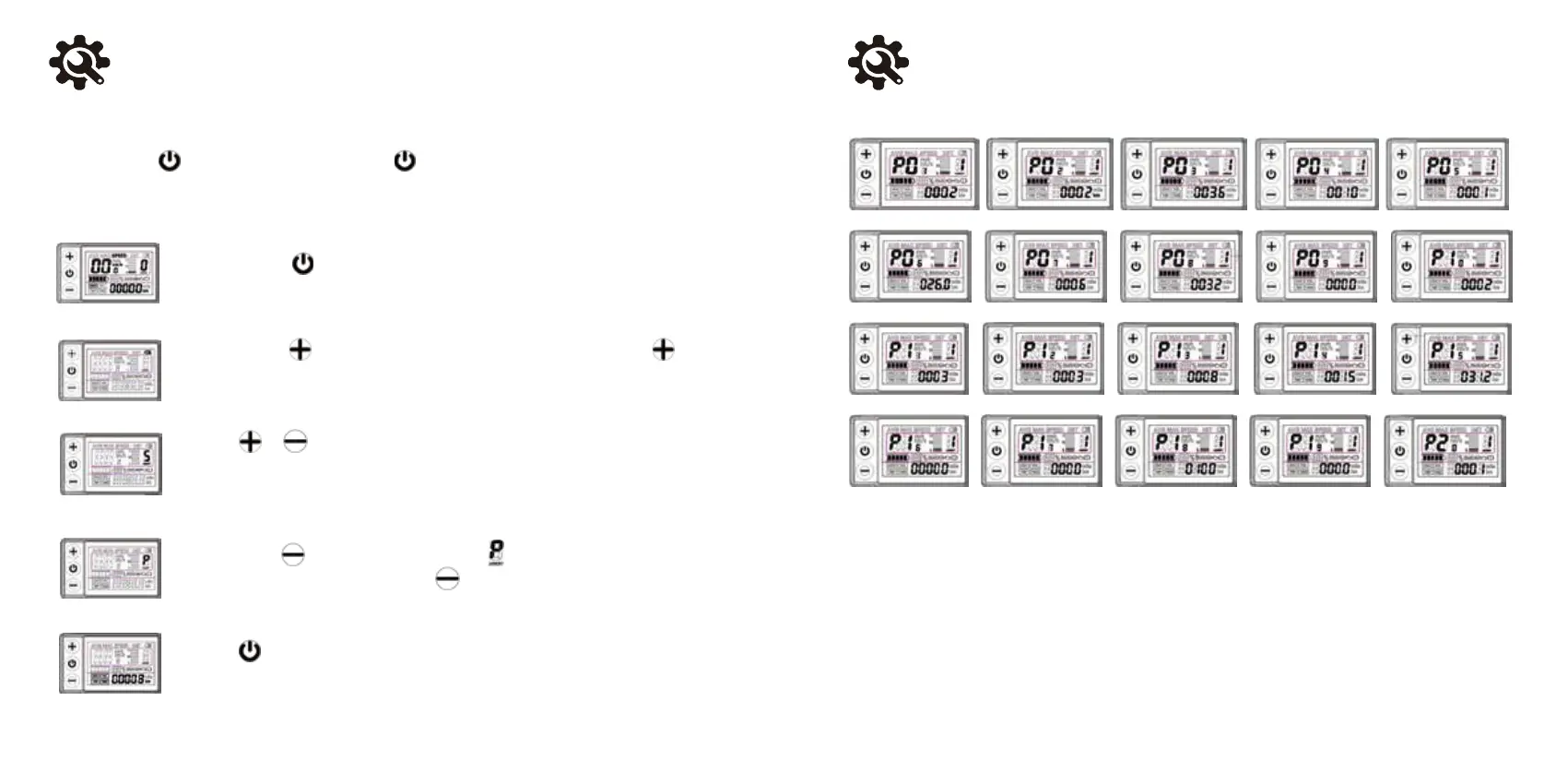
1. P01-P20 menu display interface and meaning descripon
P01: backlight brightness, level 1 darkest, level 3 brightest.
P02: mileage unit, 0: KM; 1: MILE.
P03: voltage level: 24V, 36V, 48V, 60V; default 36V.
P04: sleep me: 0, no sleep; sleep me, range: 1-60; unit minutes.
P05: Assist gears: 0, 3-speed mode: 1, 5-speed mode.
P06: Wheel diameter: inch; accuracy: 0.1.
P07: Number of speed magnets: range: 1-255.
Press and hold the key to switch on and enter display screen one.
Press and hold the key to turn on the backlight and lights; press and hold the key
again to turn off the backlight and lights.
Short press or key to switch between gears 1-5. 1 is the lowest power gear and 5
is the highest power gear. Each me the power is switched on, the inial gear is automa-
cally restored. 0 gear has no booster funcon.
Press and hold the key, the gear area is displayed and the vehicle is travelling at
a speed of no more than 6Km/h. Release the key and the funcon is withdrawn.
Short press key to cycle through the ODO-TRIP-VOL-TIME-ODO informaon.


 To Next Page