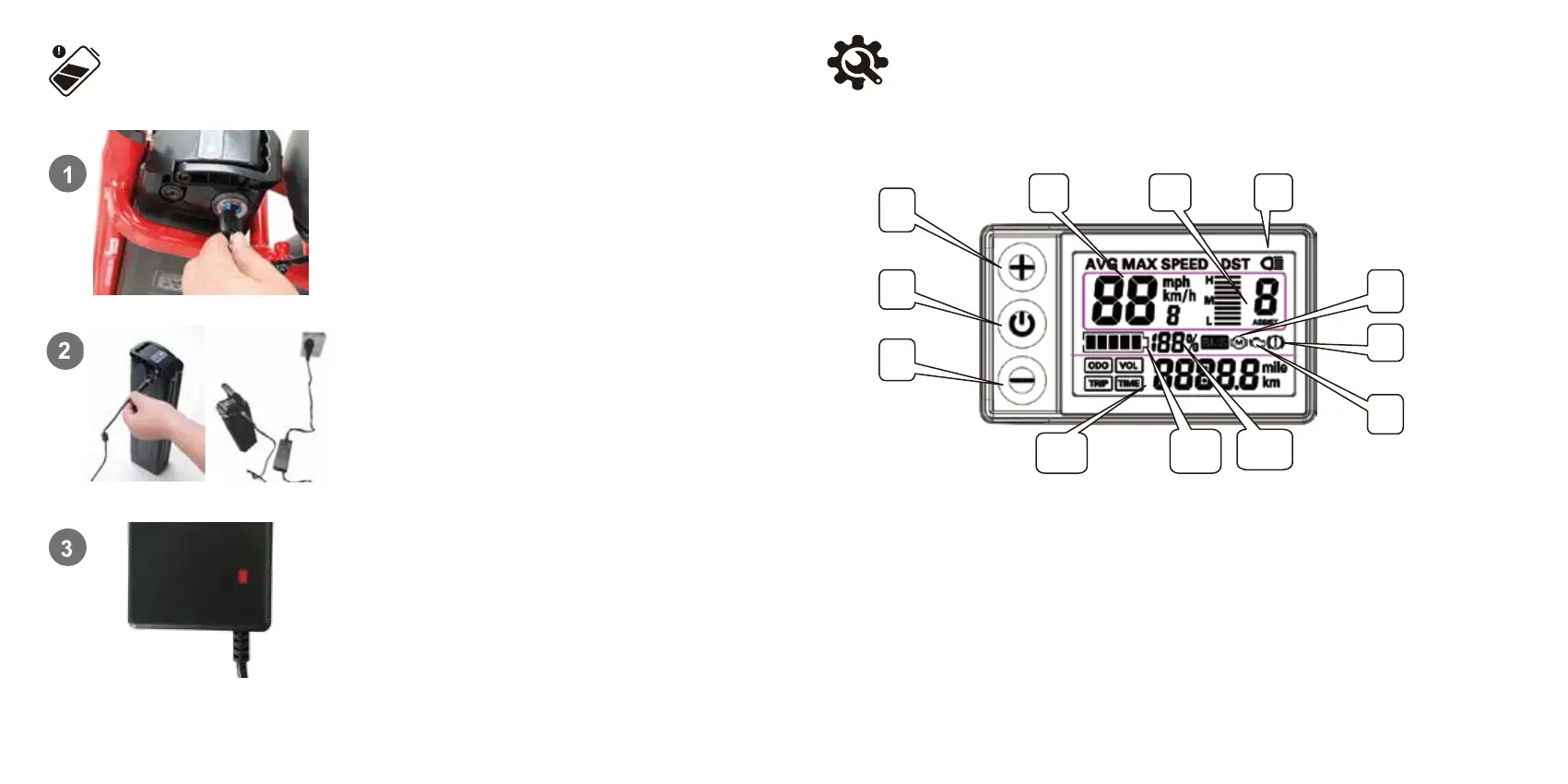
The baery can be charged off the bike. To remove the baery, turn
the key to the UNLOCK posion.
(see the previous remove baery secon for details),
Then carefully pull the baery up unl the baery
detaches from the receptacle.
Remove the rubber cover on the charging port on the opposite side
of the baery from the key switch. Connect the DC output plug from
the charger to the charging port on the side of the baery.
Plug the charger into a power outlet, charging should iniate and
will be indicated by the LED charge status lights on the charger
turning red. Once fully charged, the charging indicator light turning
green. Unplug the charger from the wall outlet first and then
remove the charger output plug from the baery charging port.
14
Charge Your E-Bike
15
Display and Seng
Dear users, please read this operaon manual carefully before you use the S866 LCD meter. The manual will guide
you to use the instrument correctly to realize various vehicle control and vehicle display funcons.
I. Funcons and display
1 Operaon buon UP key
2 Operaon buon SW key
3 Acon buon key
4 Real-me cycling speed (metric)
Real-me cycling speed (metric)
Single ride average speed display
Single maximum ride speed display
5 Assist gear switch
6 Lights on sign
7 Motor fault indicaon
8 Brake sign
9 Fault indicaon (not used)
10 BMS baery percentage display (this
feature has been removed)
11 5-segment baery indicaon
12 Miles ridden (metric)
Miles ridden (imperial)
Total miles ridden display
Single miles ridden display
Real-me baery voltage display
Single ride me display


 To Next Page