33
EN
NOTE!:
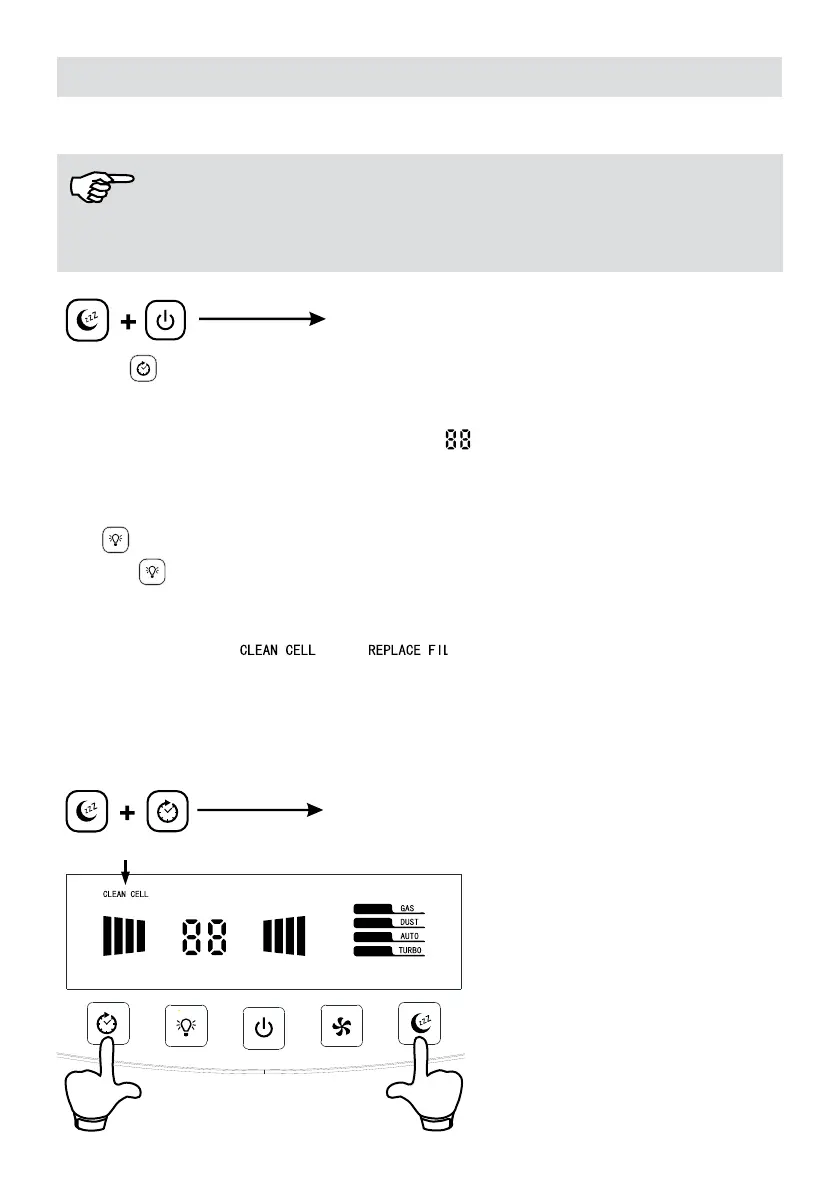
You may not use other buttons when the child lock is active. Cancel the child lock rst to
activate it.
Press for 3 seconds
Child Lock On/Off
4. Timer
The appliance is operated without the timer active.
By pressing the timer button, you may set the desired time (1-9 hours). Time set on the
indicator panel shall be displayed on the screen.
sign indicates that the timer is not
active.
When the timer is set, the appliance operates in countdown mode and when the time ends,
it is turned off.
5.UV
When the button is pressed, UV shall be displayed on the screen and the UV mode
shall be activated. When this button is pressed again, UV text shall disappear and the
function shall be deactivated.
6. Cleaning Indicator
We recommend you to clean the device when CLEAN CELL message is displayed on
the screen. Clean the dust collection unit, and then place it again on its seat. Turn on the
appliance.
Keep the sleep mode and timer mode buttons pressed for 3 seconds. The CLEAN CELL
message on the screen shall disappear.
Press for 3 seconds
Reset


 To Next Page