22
OPERATING
GB
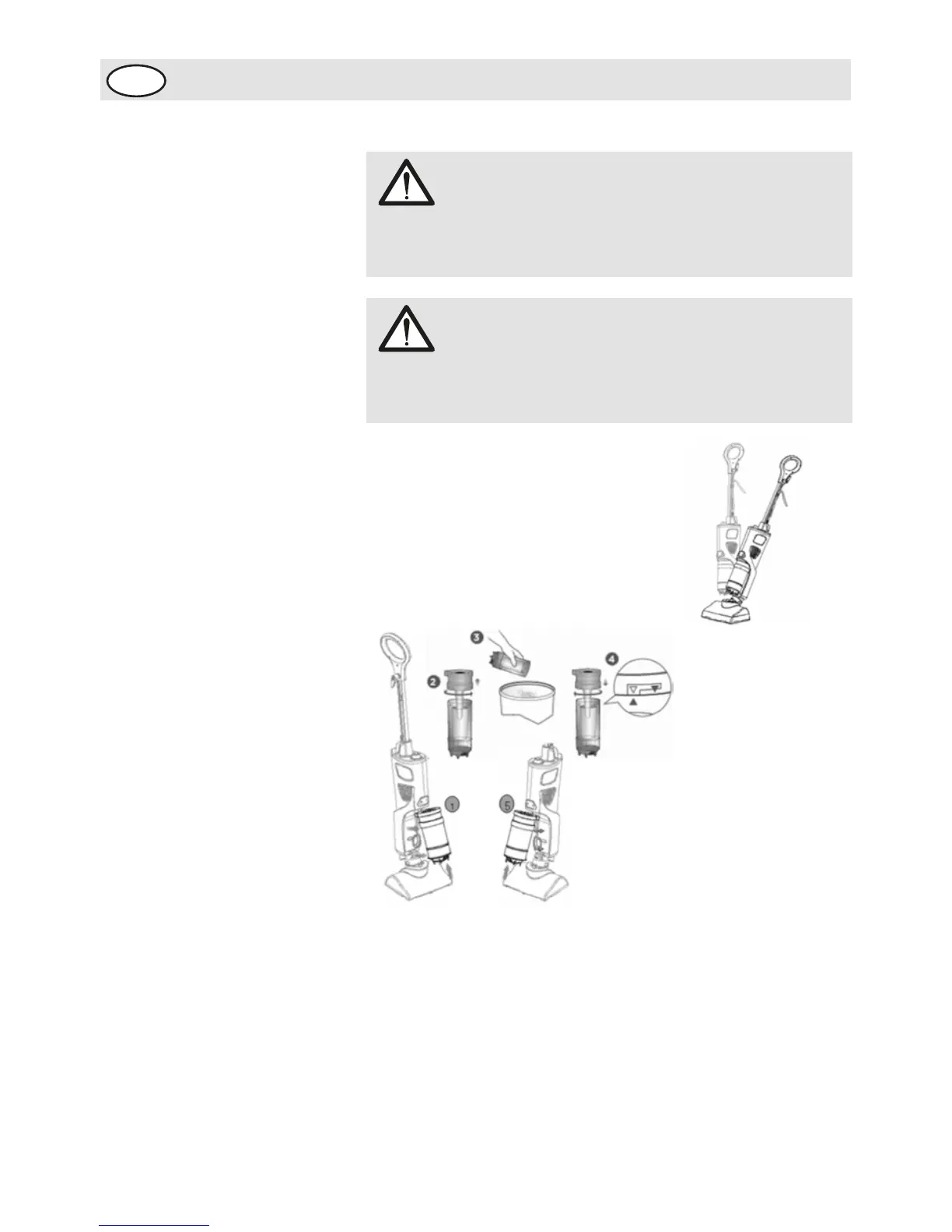
4- Place your foot lightly on the top
of the cleaning unit base . Tilt the
cleaning unit back, vacuum your
floors.
1- Press the dust cup latch at the bottom of the canister
upward. Pull the dust cup assembly out and down.
2- Twist dust cup cover counter clockwise to open.
3- Tap canister gently over trash receptacle to empty.
4- To reattach the dust cup cover, align the indicators that are
printed on the rear of the dust cup and cover. Turn the
cover clockwise.
5- To replace the dust cup in to the unit. Gently push the dust
cup assembly up and in. the dust cup will click into place.
Emptying the dust cup:
WARNING:
You cannot use the vacuum function if the frame and
pad are attached to the base.
WARNING:
Only vacuum hard floor surfaces and non-carpeted
bare floor surfaces.


 To Next Page