to switch on
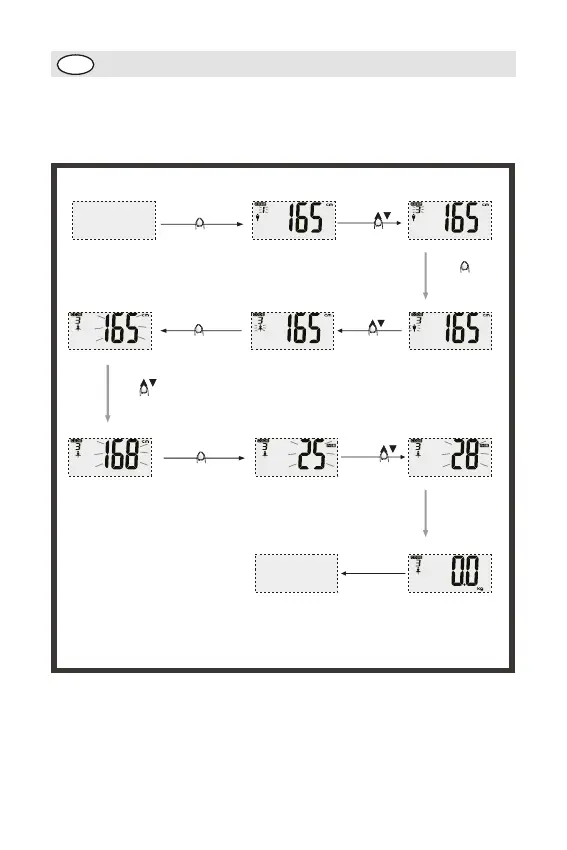
Press SET(ON/SET)
Power off
Default parameters
Press
to select user code
to confirm and
prompt to next
setting
Press SET(ON/SET)
Press
to select gender
to confirm and
prompt to next
setting
Press SET(ON/SET)
to set height
Press
to confirm and
prompt to next
setting
Press SET(ON/SET)
Press
to set age
LCD shows “0.0”
Power off
Auto off after several
seconds
Tap on the
scale platform
SUN
GB
26
Parameter setting
Example: the 3rd user, female, 168cm, 28 years old, can set
her parameters as follow:
Note: During parameter setting, if idle for 6 seconds, the parameters already set will be
memorized automatically and LCD shows “0”,
meaning body fat measuring will be started.
Note: If LCD prompt to show “0” during parameter setting, press SET(ON/SET) for 3
seconds to return setting mode, then you can set
user code,gender, height and age


 To Next Page