9
Router Troubleshooting
1. Refer to the user manual. These are also available online by visiting
Falcon’s website.
2. If you can connect to the Wi-Fi but you have no internet rst check
your data allowance. Also check the SIM is working in another device.
3. If you are abroad make sure you have turned on the roaming
feature.
4. If a factory reset is required on the router, the username, password
and SSID may all be reset to its original factory settings. To access the
router once this is done the username and password will be as stated
in the routers screen.
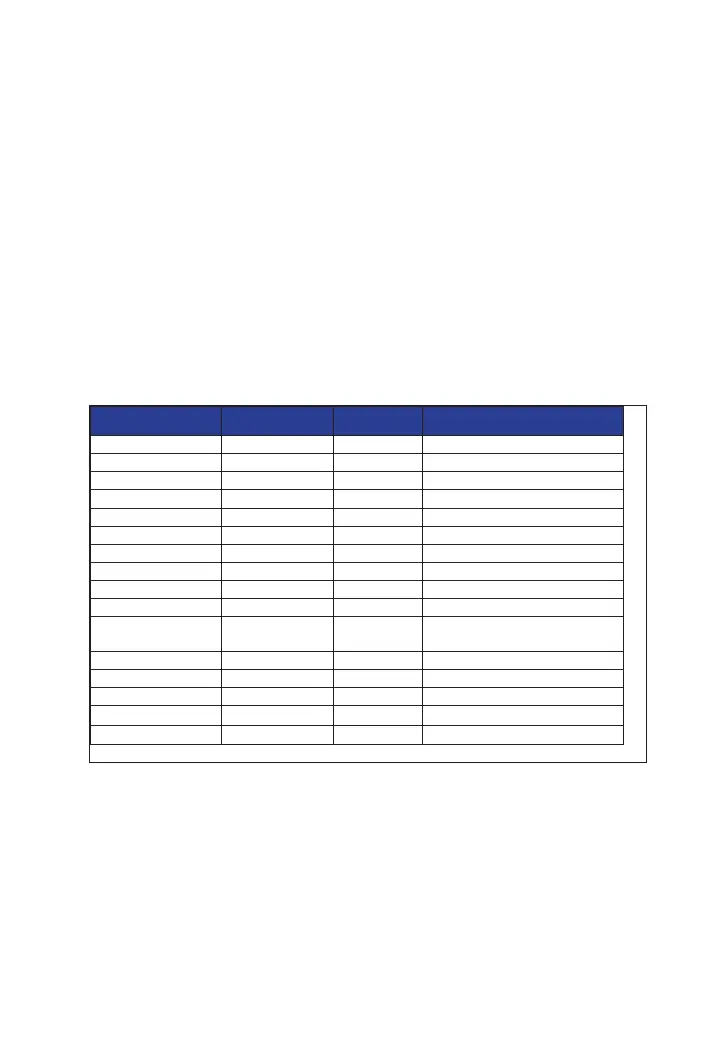
5. Below is a list of the APN Settings for some of the popular networks.
For further support on APN settings visit the Falcon website for APN
setting support.
For further support, please email support@falcontechnical.co.uk
Name Username Password Access Point Name (APN)
EE eesecure secure everywhere
giga giga giga.com
O2 o2web password mobile.o2.co.uk
Sky Mobile mobile.sky
Three three.co.uk
Vodafone PAYG wap wap pp.vodafone.co.uk
Vodafone wap wap wap.vodafone.co.uk
Talkmobile wap wap talkmobile.co.uk
Virgin Mobile goto.virginmobile.uk
Tesco Mobile tescowap password prepay.tesco-mobile.com
Vodafone Internet
GER
web.vodafone.de
1und1 GER web.vodafone.de
O2 POSTPAID GER internet
O2 Prepaid GER pinternet.interkom.de
T-Mobile GER telekom telekom internet.telekom
Vodafone GER vodafone vodafone web.vodafone.de
For details specic to a router please refer to your router manual


 To Next Page