FALCON F
+ USER MANUAL
DCI DigiGuide 10.31.2022
DIGITAL CONTROL, INC 39
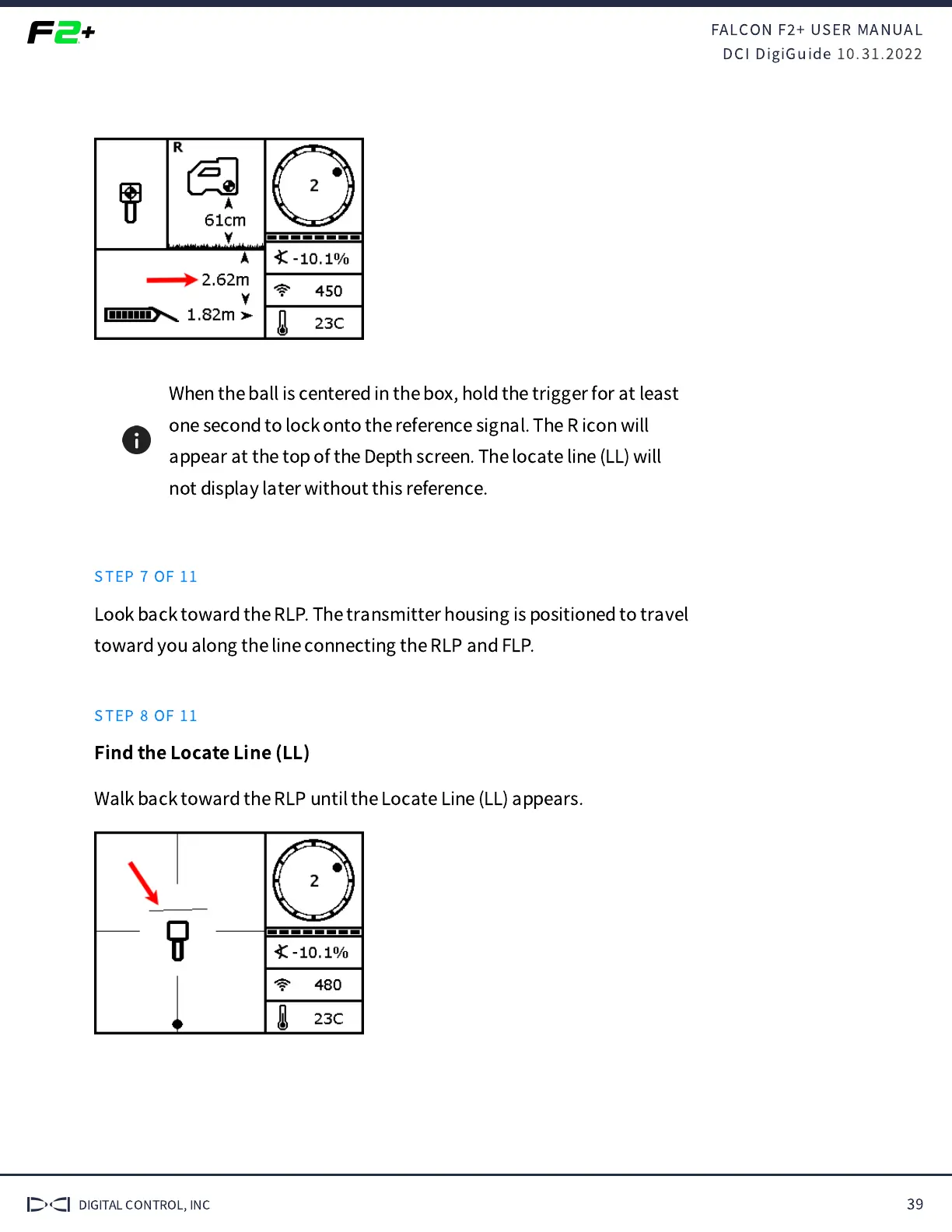
When the ball is centered in the box, hold the trigger for at least
one second to lock onto the reference signal. The R icon will
appear at the top of the Depth screen. The locate line (LL) will
not display later without this reference.
STEP 7 OF 11
Look back toward the RLP. The transmitter housing is positioned to travel
toward you along the line connecting the RLP and FLP.
STEP 8 OF 11
Find the Locate Line (LL)
Walk back toward the RLP until the Locate Line (LL) appears.



 To Next Page