Troubleshooting
MISSING ROLL AND PITCH
STEP 1 OF 4
Double-check that your transmitter is powered on.
a.
Roll the transmitter 180°. They will fall asleep after 15 minutes of
inactivity.
b.
If you do not have data and are above ground, move the transmitter
closer to the locator.
If the signal strength increases, try the next solution. If not, insert fresh
batteries. Lithium batteries will show 100% up until they
’
re nearly depleted.
STEP 2 OF 4
Make sure you have the correct frequency band selected
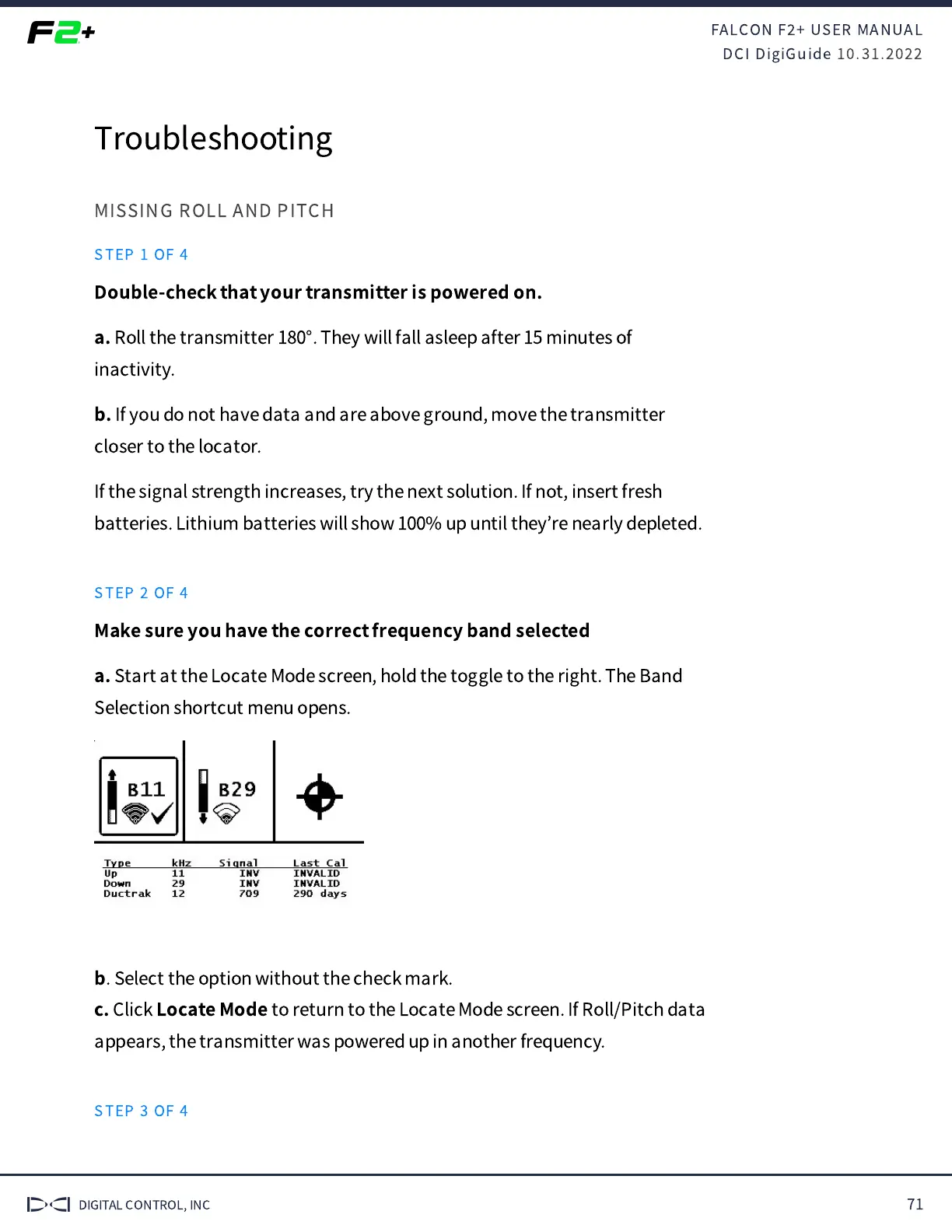
a.
Start at the Locate Mode screen, hold the toggle to the right. The Band
Selection shortcut menu opens.
b
. Select the option without the check mark.
c.
Click
Locate Mode
to return to the Locate Mode screen. If Roll/Pitch data
appears, the transmitter was powered up in another frequency.
STEP 3 OF 4


 To Next Page
 Loading...