FALCON F
+ USER MANUAL
DCI DigiGuide 10.31.2022
DIGITAL CONTROL, INC 72
a.
On the Main Menu, select
Calibration
.
b.
Select
1 PT Cal.
If you have a new transmitter, or locator, you must optimize,
pair your frequencies, and recalibrate.
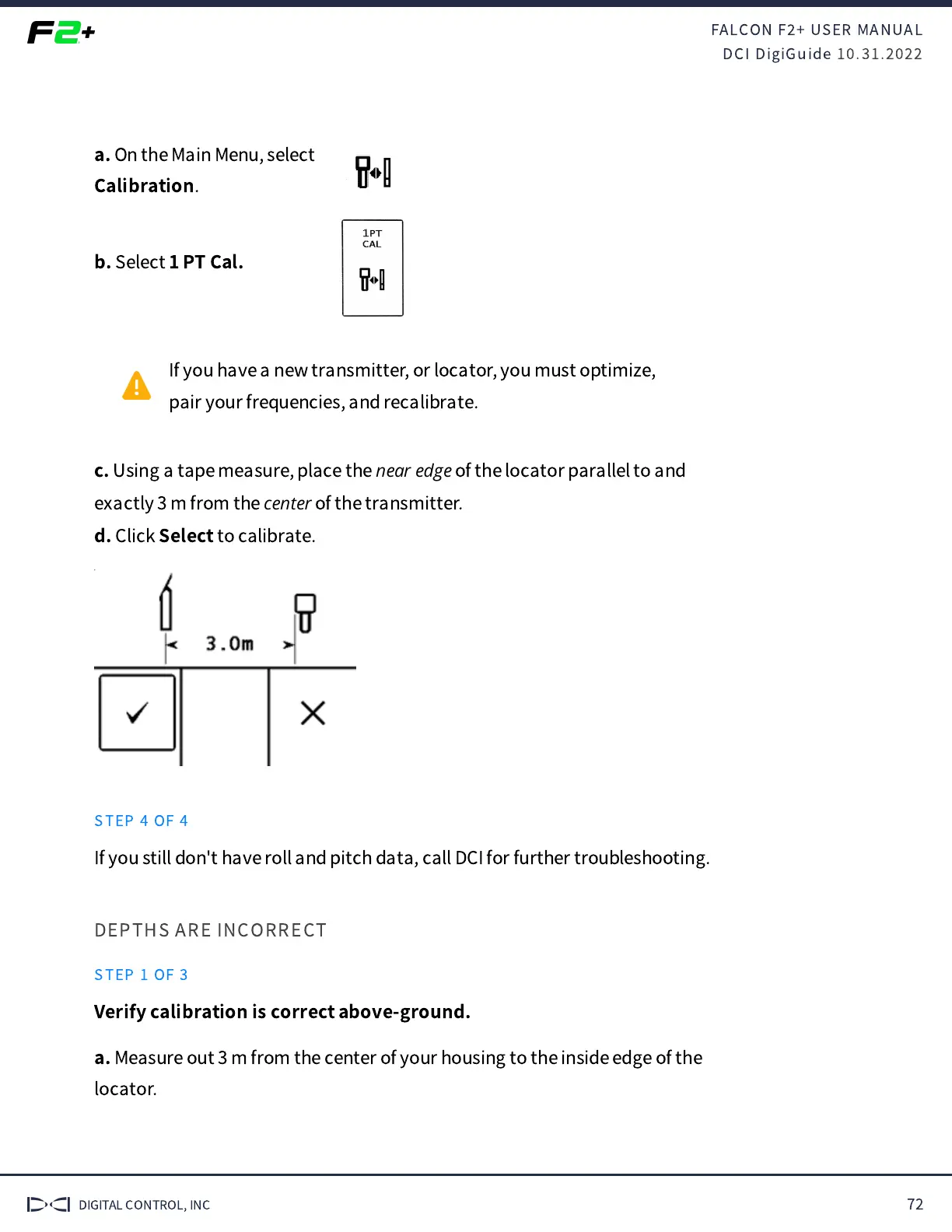
c.
Using a tape measure, place the
near edge
of the locator parallel to and
exactly 3 m from the
center
of the transmitter.
d.
Click
Select
to calibrate.
STEP 4 OF 4
If you still don't have roll and pitch data, call DCI for further troubleshooting.
DEPTHS ARE INCORRECT
STEP 1 OF 3
Verify calibration is correct above-ground.
a.
Measure out 3 m from the center of your housing to the inside edge of the
locator.



 To Next Page