FalconEye 4G HD dual recorder
Manual
Once you select FIND, you will be able to view your cam(s).
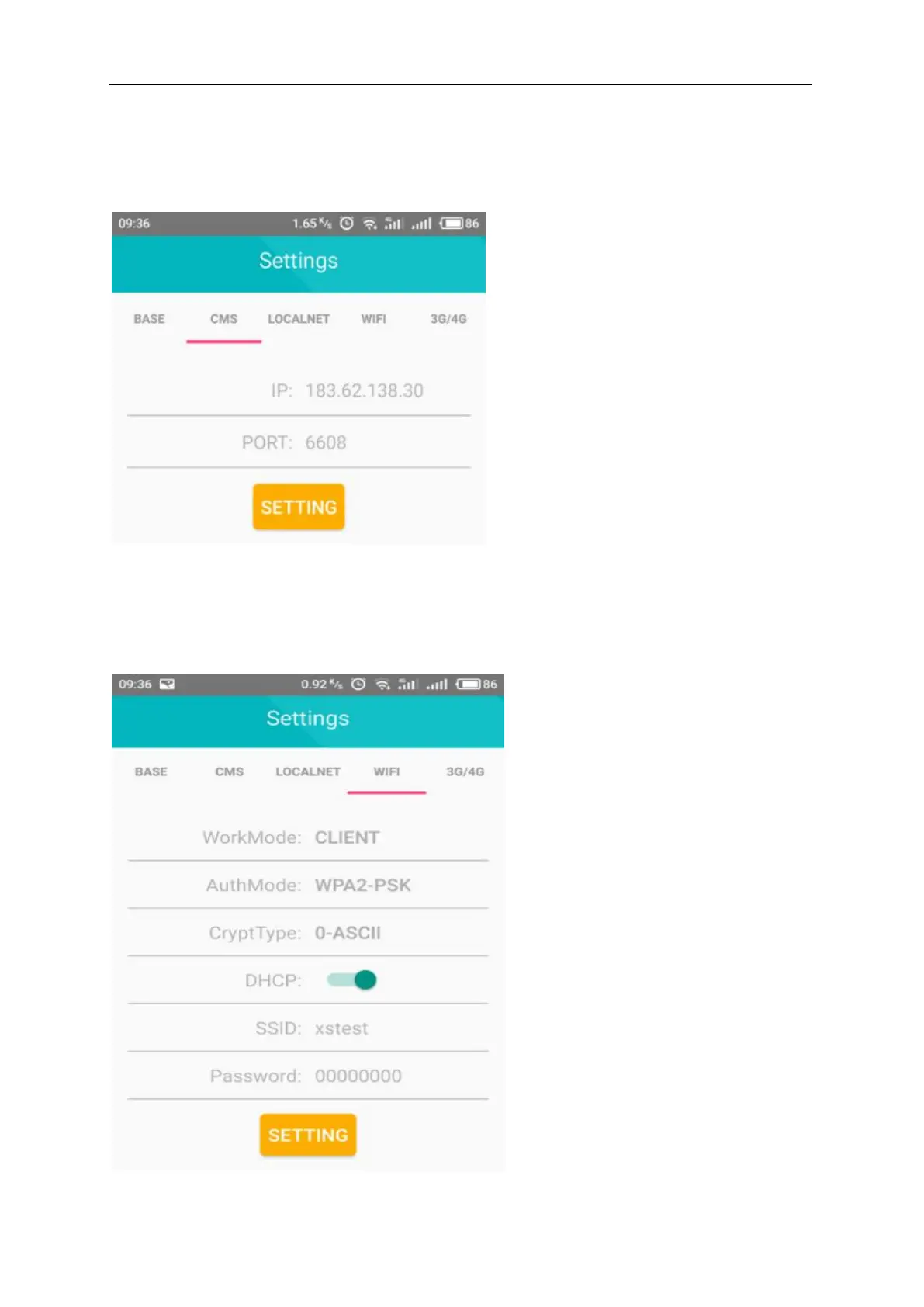
5.0 Select Settings to configure / verify that device settings are entered correctly.
Configure CMS server IP and port:
Ignore the localnet configuration
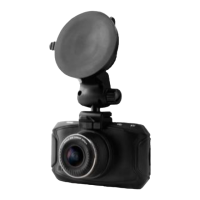
6.0 Configure WIFI encryption mode as: WPA2-PSK, encryption type as: AES
SSID: enter your WIFI or hot spot user name (no spaces and case sensitive)
Password: enter your WIFI or hot spot password (no spaces and case sensitive)


 To Next Page