FalconEye 4G HD dual recorder
Manual
2.3:Steps to configure using mobile device
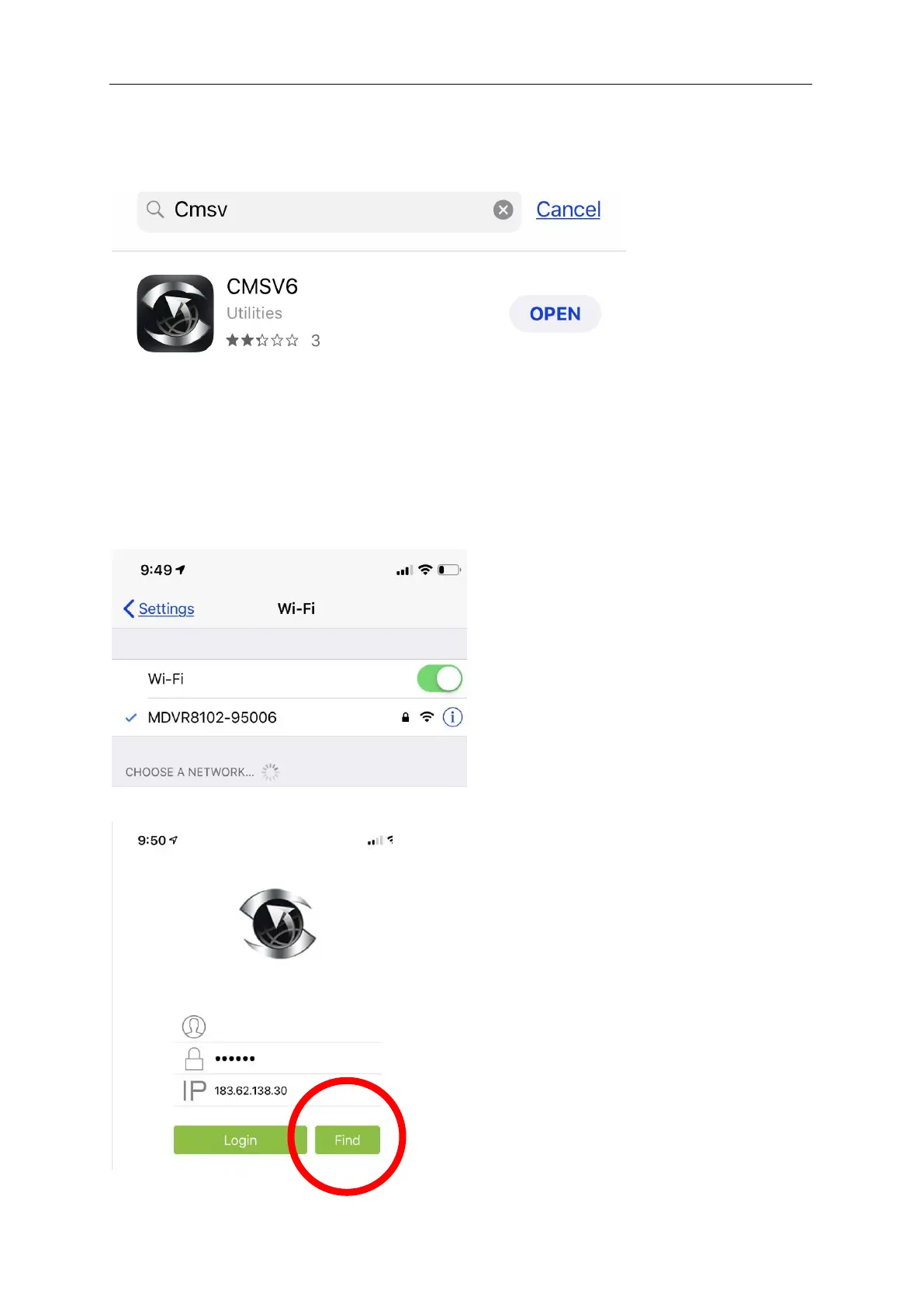
1.0 Download CMSV6 APP, Once downloaded go ahead and close app
2.0 On Main Device press mode button to Switch network mode as 3G/4G/+AP until
light is blinking as chapter 2.2 described.
3.0 On mobile device open networking settings and search WIFI signal, WIFI account
defaults to something similar “MDVR8102(Digital means the device number)”, default
password: 99999999 (As below)
4.0 Once connected to device, open CMSV6 APP and select “FIND”


 To Next Page