EasyManua.ls Logo

Faller OSKAR SV-100 - User Manual

Faller OSKAR SV-100
52 pages
Print Icon
To Next Page IconTo Next Page
Loading...
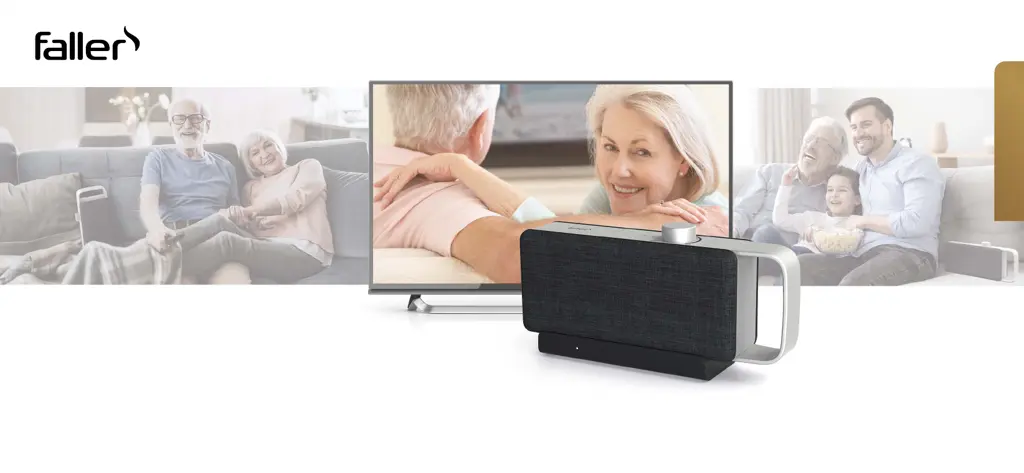
OSKAR SV-100
TRAGBARER TV-SPRACHVERSTÄRKER
Mit innovativer Technologie zur Stimmoptimierung
PORTABLE TV VOICE ENHANCER
With dialogue clarifying technology
BEDIEUNGSANLEITUNG
Bedienungsanleitung
Operating manual
Notice d’utilisation
Bedieningshandleiding
Istruzioni per l’uso
Betjeningsvejledning

Table of Contents

Questions and Answers

  • J
    James CoxAug 11, 2025
    What to do if Faller OSKAR SV-100 OSKAR does not play audio but the connection display illuminates or flashes?
    • T
      Theresa GarciaAug 11, 2025
      If your Faller Hearing Aid OSKAR is not playing audio and the connection display is flashing, try the following: * Ensure the TV is not muted and the volume is at an audible level. * Reduce the distance between OSKAR and the base station. * Recharge OSKAR, as the battery may be low. * Check that the digital audio output on your TV is set to PCM. Consult your TV's manual for instructions. * Re-establish the connection between the base station and OSKAR.
  • J
    Jenna CampbellAug 26, 2025
    Why does Faller OSKAR SV-100 Hearing Aid OSKAR sound fail frequently?
    • L
      Laurie TranAug 26, 2025
      If the sound on your Faller Hearing Aid OSKAR cuts out frequently, it might be due to interference from devices like smartphones, Wi-Fi access points, or microwave ovens. Try positioning OSKAR and the base station further away from these devices to minimize radio interference.
  • A
    Aimee BrownSep 2, 2025
    Why is my Faller OSKAR SV-100 OSKAR rechargeable battery not charging?
    • E
      Eric EvansSep 2, 2025
      If the rechargeable battery in your Faller Hearing Aid OSKAR is not charging, it may be due to a poor connection between OSKAR and the base station. Clean the charging contacts on OSKAR with a soft cloth to ensure proper contact.
  • T
    Tara PhillipsNov 16, 2025
    How to fix Faller Hearing Aid OSKAR when it does not play audio and the connection display is off or flashes?
    • A
      Andrew MasonNov 17, 2025
      If your Faller Hearing Aid OSKAR isn't playing audio and the connection display is off or flashing, here's what you can do: 1. Ensure OSKAR is switched on by rotating the On/Off volume knob. 2. If the TV has been off or muted for more than 5 minutes, switch it on or unmute it, then switch OSKAR off and on again. 3. Verify that the USB cable is securely connected to both the base station and the USB power adapter, and ensure the optical or 3.5 mm audio cable is firmly connected to the base station and the TV. 4. If OSKAR is not paired to the base station, reset the base station by disconnecting the USB cable, waiting 30 seconds, and reconnecting it. Then, switch OSKAR back on. If pairing fails, position OSKAR near the base station, briefly press the PAIRING button, and then hold down t...

Faller OSKAR SV-100 Specifications

General IconGeneral
BrandFaller
ModelOSKAR SV-100
CategoryHearing Aid
LanguageEnglish