33
ENGLISH
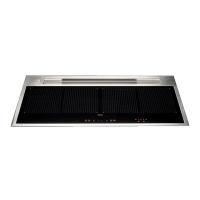
OPERATION AND USE OF THE COOKTOP
ONLY USE COOKWARE SUITABLE FOR INDUCTION HOBS.
When a cooking are is turned on, the bottom of the saucepan heats.
The cooking area only heats thanks to the heat given by the sauce-
pan.
The cooktop automatically detects the size of the saucepan.
The heating power is to be chosen based on what shall be cooked.
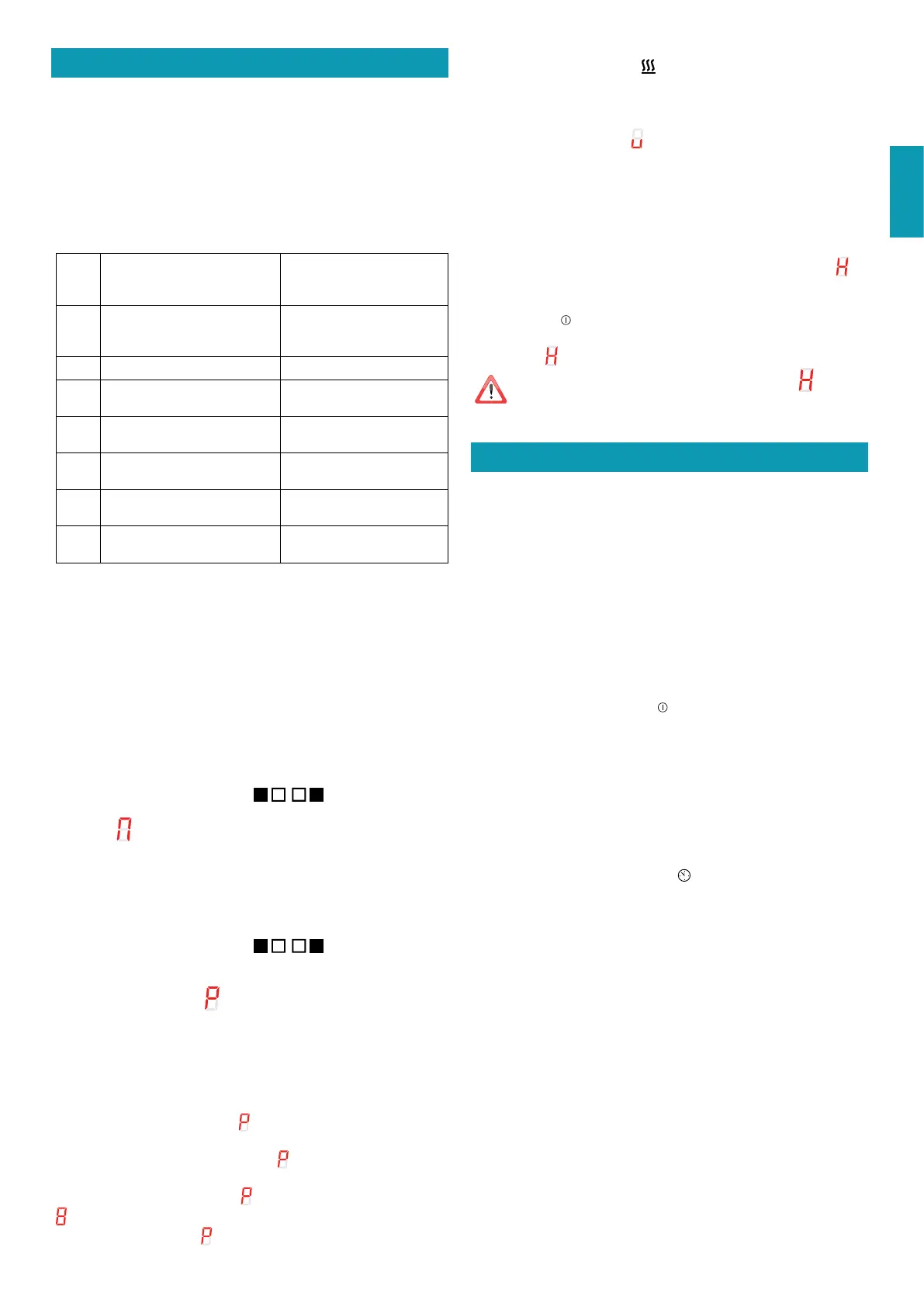
Please nd below a short table:
SETTING AREAS
1 - 2
Melt
Heat
Sauces, butter, chocolate,
gelatine
Precooked dishes
2 - 3
Whisk
Defrost
Rice, pudding and cooked
dishes
Vegetables, sh, frozen food
3 - 4
Steam
Vegetables, sh, meat
4 - 5
Boil
Boiled potatoes, soups, pasta
Fresh vegetables
6 - 7
Cook over a low heat
Meat, liver, eggs, sausages
Goulash, rolate, tripe
7 - 8
Cook
Fry
Potatoes, donuts, cakes
9
Fry, bring to the boil
Steaks, omelettes
Boil
P
Fry, bring to the boil
Bring to the boil big
quantities of water
Remark: heating time of cooktops is shorter than the gas cookers.
BASIC FUNCTIONS
See table of the corresponding model in the previous page.
BRIDGE FUNCTION
This function allows having cooking areas 1-2 and/or 3-4 working at
the same time.
To enable:
- Enable the cooktop;
press simultaneously the symbols
+ ::
- the symbol
will be displayed on the screen of the front cooking area;
- Push the keys + and – to set power.
Note: this function can only be activated between the 2 right or the 2 left plates (not the
two centre plates).
DEACTIVATION of the BRIDGE function:
press simultaneously the symbols + :.
BOOSTER FUNCTION
The Booster strengthens power, so that big quantities can be heated
(e.g. water to cook pasta).
This power increase is enabled for max. 10 minutes.
- Turn on the cooker;
- select the cooking area;
- touch (+) until on the screen
is displayed on the back cooking
area.
Note: it is not possible to only set to
one right or one left plate
at the time (and no more than 2 in total).
If the outermost plate is set to
, the one near cannot be set to exceed the
level.
If the innermost plate is set to
, the outer one switches o.
KEEP WARM FUNCTION
42°C - Keeping temperature of cooked dishes:
Turn on the cooker;
Select the cooking area;
Touch (+) and then (-): the
symbol will appear.
Shutdown of the cooker
To shutdown the cooking area:
Touch the key ( - ) until 0 is displayed on the screen of the cooking
area.
If the cooking area is still too hot, the residual heat is specied
.
Turn o the cooker
Touch the key
: all cooking areas are deactivated.
On the display of the cooking areas that are still too hot, the symbol
is displayed
.
Do not touch the cooking areas until the lamp is on.
TIMER FUNCTION AND AUTOMATIC SHUTDOWN
The timer has two functions:
1 – TIMER;
2 – AUTOMATIC SHUTDOWN of one or more cooking areas.
It is possible to set a duration up to 99 minutes.
Once the time set is over, on the display regarding time 00 is shown
and a sound warning is activated that can be deactivated pushing
keys (+) or (-).
TIMER
To set:
1. If o, turn the hob on using the key and touch (+) and (-) at the same
time.
2. Set the desired time touching keys (+) and (-).
Timer starts passing.
To modify time repeat the procedure from point 1.
To cancel timer:
1. If o, turn the hob on and touch (+) and (-) at the same time.
(on the Plus version the lamp is on
).
2. Touch the key ( - ) to bring time to 00.
AUTOMATIC SHUTDOWN
For the automatic shutdown function:
1 - turn on the cooker;
2 - select the cooking area;
3 - select the level;
4 - set the timer as described above.
To set the automatic shutdown for another cooking area, repeat the
procedure from point 2.
TIMER and AUTOMATIC SHUTDOWN can be used simultaneously.


 To Next Page