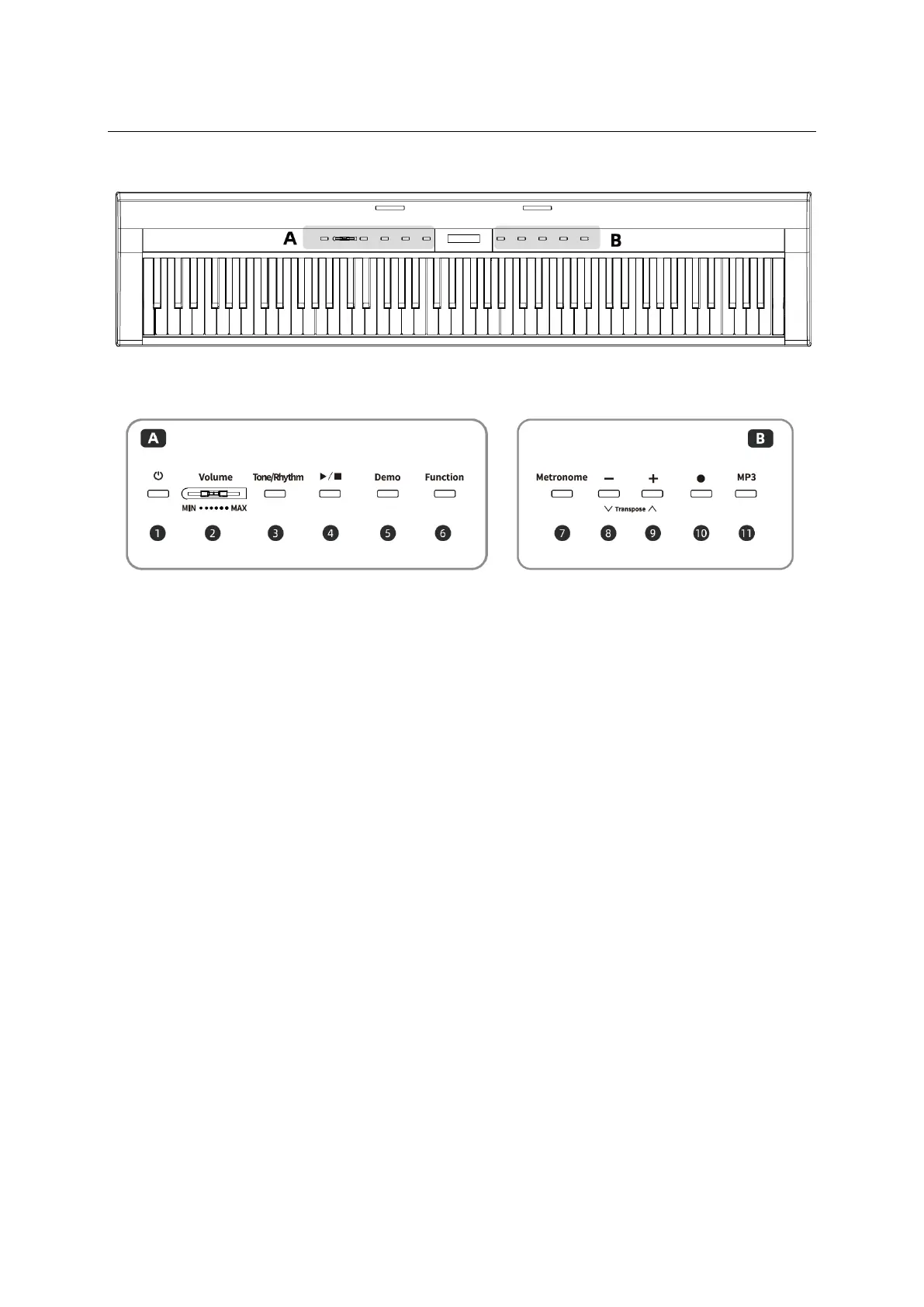
USER INTERFACE
This button is used to turn the instrument
on and off.
This
button is used to turn the instrument's
Metronome function on/off.
This slider is used to adjust the Master
Volume of the instrument.
This button is used to adjust values, and
change settings etc.
This button is used to select a basic status
between Tone and Rhythm.
This button is used to adJust values, and
change settings etc.
This button is used to play back or stop the
rhythm.
This button is used to record your
keyboard performance and play back the
recorded performance
This button is used to select the demo
status.
This
button is used to start or stop the
playback of MP3 songs, and to select
the previous or next song.
While holding down this button, press the
appropriate key on the keyboard to make
various settings, such asturning the
function on or off, selecting the number,
and so on.


 To Next Page