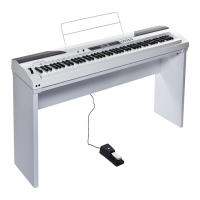
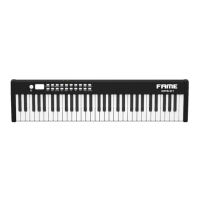
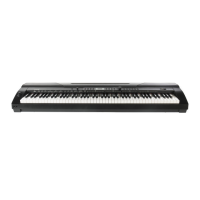
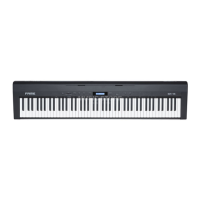
Need help?
Do you have a question about the FAME DP-88 and is the answer not in the manual?
Provides details on the product guarantee, terms, and contact information for customer support.
Lists the items included in the product package, such as the digital piano and manual.
Details the digital piano's intended purpose and outlines risks associated with improper usage.
Warns about potential disturbance from strong electromagnetic interference and suggests basic troubleshooting.
Highlights suffocation risks from packaging and unsupervised use by children.
Warns against opening the housing due to internal high voltage components.
Prohibits power cord modifications and mandates immediate replacement of damaged cords.
Alerts to potential hearing loss from prolonged exposure to high volumes.
Advises on maximum ambient temperature and ventilation to prevent fire hazards.
Advises on indoor use, avoiding moisture, dust, solar radiation, and excessive force on controls.
Emphasizes checking voltage compatibility and disconnecting power during non-use or storms.
Stresses making all connections before switching on and using high-quality cables.
Recommends inspecting the device for damage before use and using original packaging for storage.
Warns about loudspeakers generating magnetic fields and maintaining distance from affected equipment.
Explains potential reception interference with radios/TVs and provides measures to correct it.
Details FCC compliance for Class B devices, potential interference, and guarantees.
Explains the meaning of safety symbols like lightning flash, exclamation mark, and 'Read Manual'.
Details the functions of buttons and controls located on the front panel of the digital piano.
Lists and describes the various connection ports and controls found on the rear panel.
Instructs on connecting the dedicated AC/DC power adapter to the piano and power outlet.
Explains how to use the headphone ports and the automatic muting of speakers.
Guides on connecting the piano to external audio devices via the AUDIO OUT port.
Describes how to connect external audio sources (phone, MP3) using the AUDIO IN port.
Details the connection of a sustain pedal to the PEDAL port for sound effects.
Explains connecting to mobile devices via USB-MIDI for apps and computers for MIDI data.
Guides on inserting a USB drive and using buttons to play MP3 music files.
Details how to adjust the overall volume using the master volume knob.
Explains how to enable or disable the key tone (click) function for key presses.
Describes how to select from 140 timbres, including default and custom GM/Chinese folk options.
Guides on playing and stopping the 16 built-in demo songs.
Explains how to set the metronome tempo, its range, and restore the default value.
Details how to adjust the metronome volume across 5 levels.
Explains how to enable or disable the sustain effect to prolong note duration.
Describes how to enable or disable the vibrato effect for pitch modulation.
Details the transpose function for adjusting pitch by half-steps and resetting it.
Explains how to adjust touch force sensitivity across 3 grades or turn it off.
Explains splitting the keyboard into two zones for playing different timbres.
Details how to set the volume for the left-hand zone after splitting.
Describes enabling the dual timbre function by overlaying two selected timbres.
Explains activating and disabling the lesson mode for split-zone playing.
Details how key scales change in the left and right zones when lesson mode is enabled.
Explains octave adjustment from -2 to +2 and how to restore the default setting.
Guides on enabling and disabling the record mode and starting recording.
Explains how to play back recorded notes and stop the playback process.
 General
| Brand | FAME |
|---|---|
| Model | DP-88 |
| Category | Musical Instrument |
| Language | English |

 To Next Page