13
Metronome volume
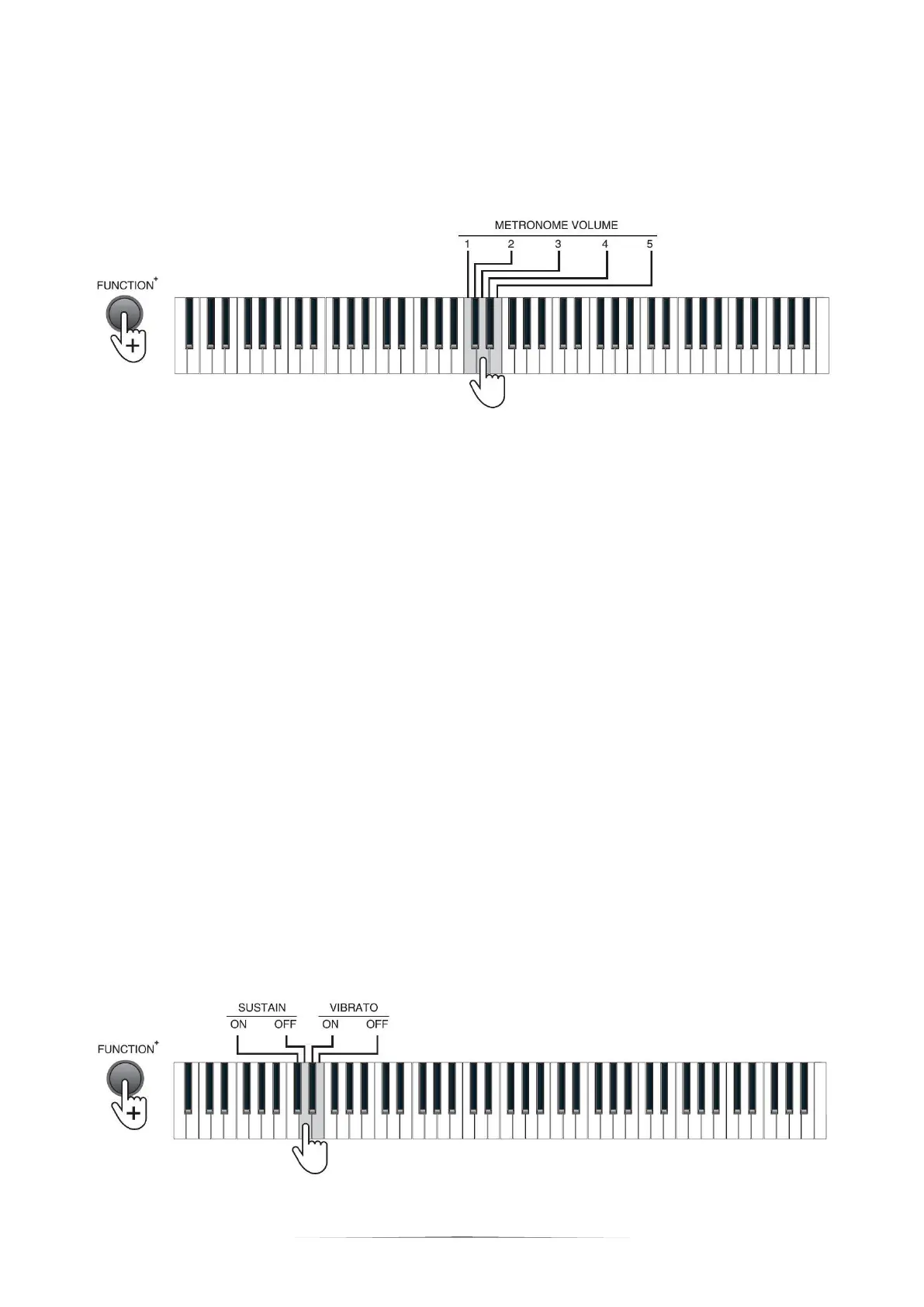
The Piano contains 5 metronome volumes. Press the [FUNCTION+] button + the
[METRONOME VOLUME] 1 - 5 keys for metronome volume setting.
V. Effect Change
Timbre change
Sustain: prolong the lasting time of a pitch.
Press the [FUNCTION+] button + the [SUSTAIN -ON] key to enable the
sustain effect.
Press the [FUNCTION+] button + the [SUSTAIN - OFF] key to disable the
sustain effect.
Vibrato: add a pulsating change to the pitch
Press the [FUNCTION+] button + the [VIBRATO - ON] key to enable the
vibrato effect.
Press the [FUNCTION+] button + the [VIBRATO - OFF] key to disable the
vibrato effect.


 To Next Page