17
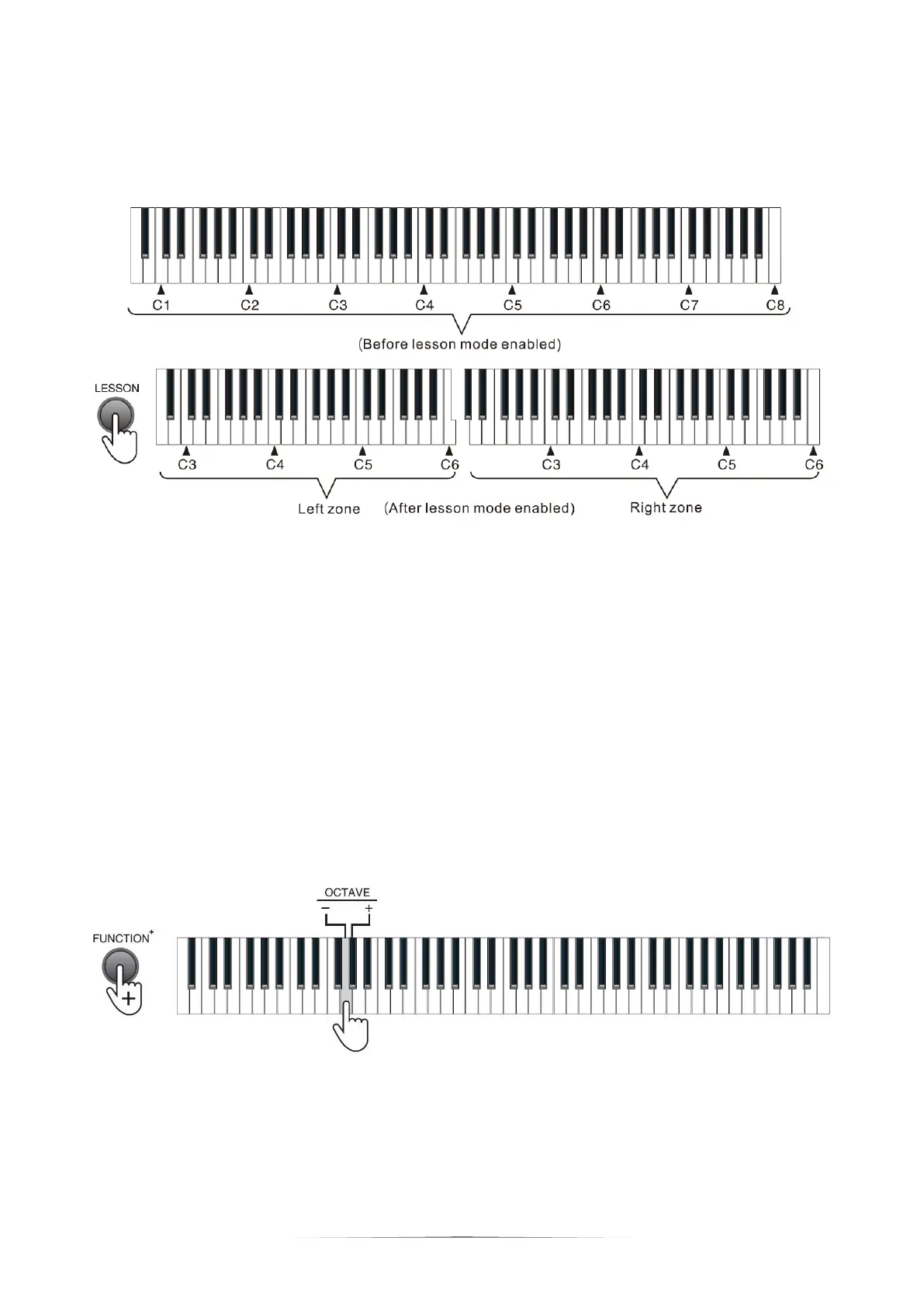
Under the lesson mode, the scales of Keys A0 - C5 in the left zone will change to
the scales of KeysA2 - C6, while the scales of Keys C4# - C8 in the right zone will
change to the scales of Keys C2# - C6.
Octave Control
Under the lesson mode, you can perform octave adjustment from "-2" to "+2", and
the default setting is 0. Press the [FUNCTION+] button + the [OCTAVE] "-" / "+"
keys for octave adjustment with in ±2. For example, when adjusting octave to "-2",
the left zone will change to A0-C4 while the right zone will change to C0#-C4.
Press the [FUNCTION+] button + [OCTAVE] "-" / "+" keys simultaneously to
restore the default setting.
Note: octave control can only be enabled under the lesson mode.


 To Next Page