18
VII. Record Mode
Record
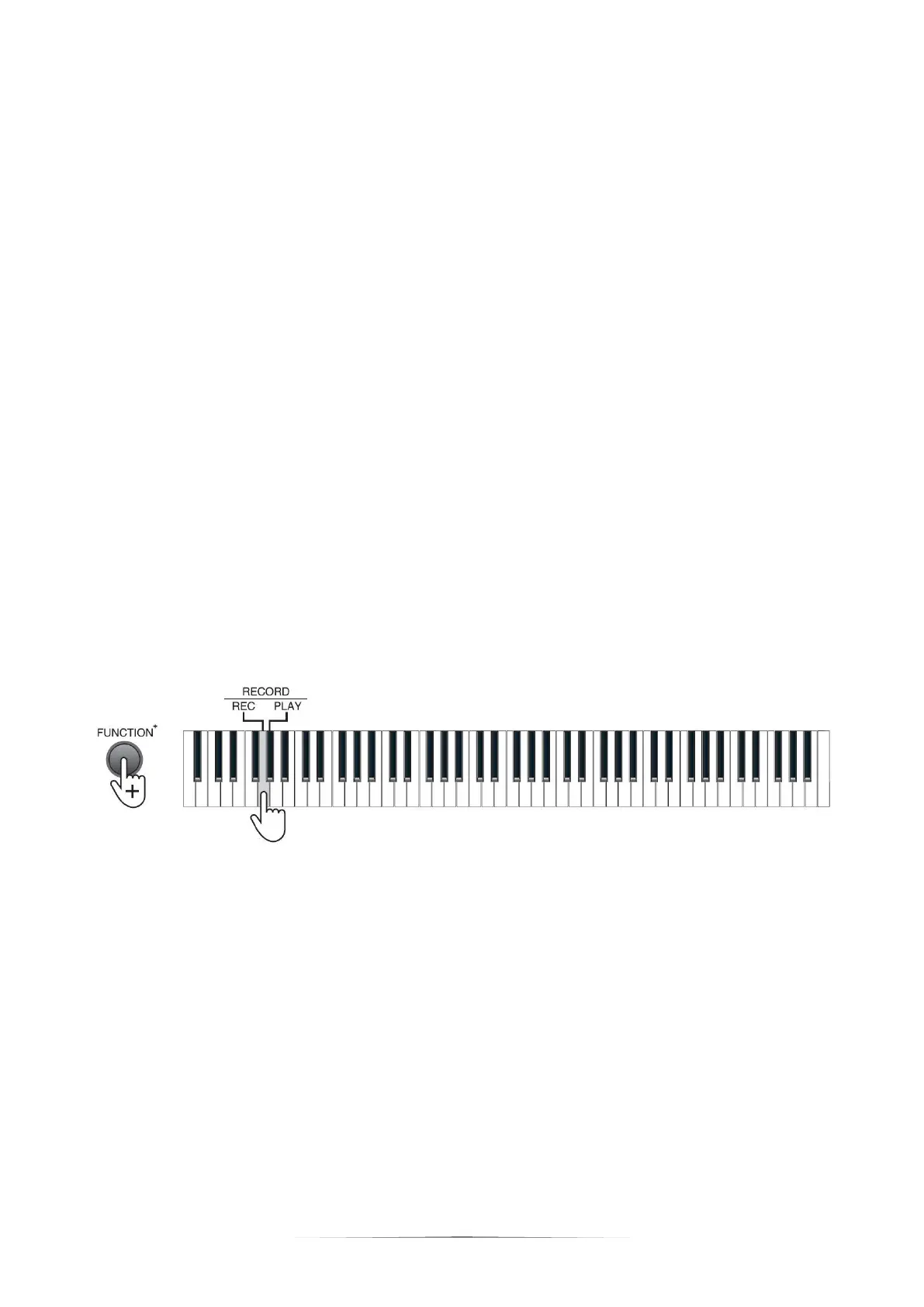
Press the [FUNCTION+] button + the [REC] key to enable the record mode. Press
the [FUNCTION+] button + the [REC] key again to disable the record mode.
Under the record mode, the metronome will be enabled automatically, and you
can press any key to start recording.
Press the [FUNCTION+] button + the [TEMPO] key to adjust the tempo.
The Piano can record 700 notes at maximum. When the storage memory is full,
the record mode will be disabled and the metronome will shut down automatically.
Play
Press the [FUNCTION+] button + the [PLAY] key to play the records. During the
playing process, press the [FUNCTION+] button + the [PLAY] key again to stop
playing.


 To Next Page