12
IV Metronome
Metronome
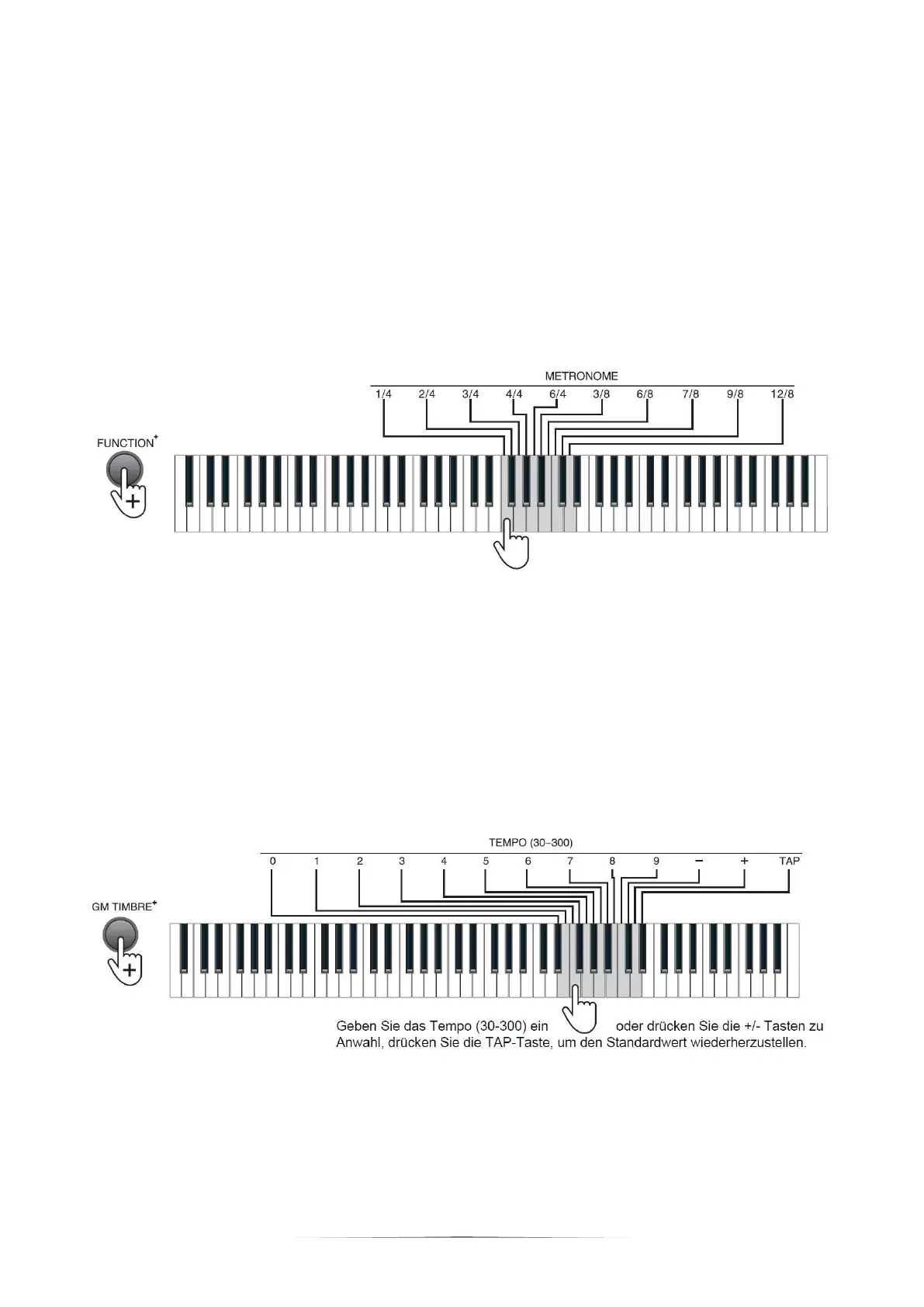
Press the [METRONOME] button to activate the metronome. Press the
[METRONOME] button again to deactivate the metronome.
The Piano contains 10 tempos. Press the [FUNCTION+] button + the
[METRONOME] 1/4- 12 /8 keys for metronome setting.
Tempo
The tempo is defaulted tobe 120, which is adjustable between the range of "30" to
"300". Press the [FUNCTION+] button + [Tempo] number + "-/+" keys to select the
required tempo.
Press the [FUNCTION+] button + the [TAP] key of the [TEMPO] to restore
the default value.


 To Next Page