SETTING UP
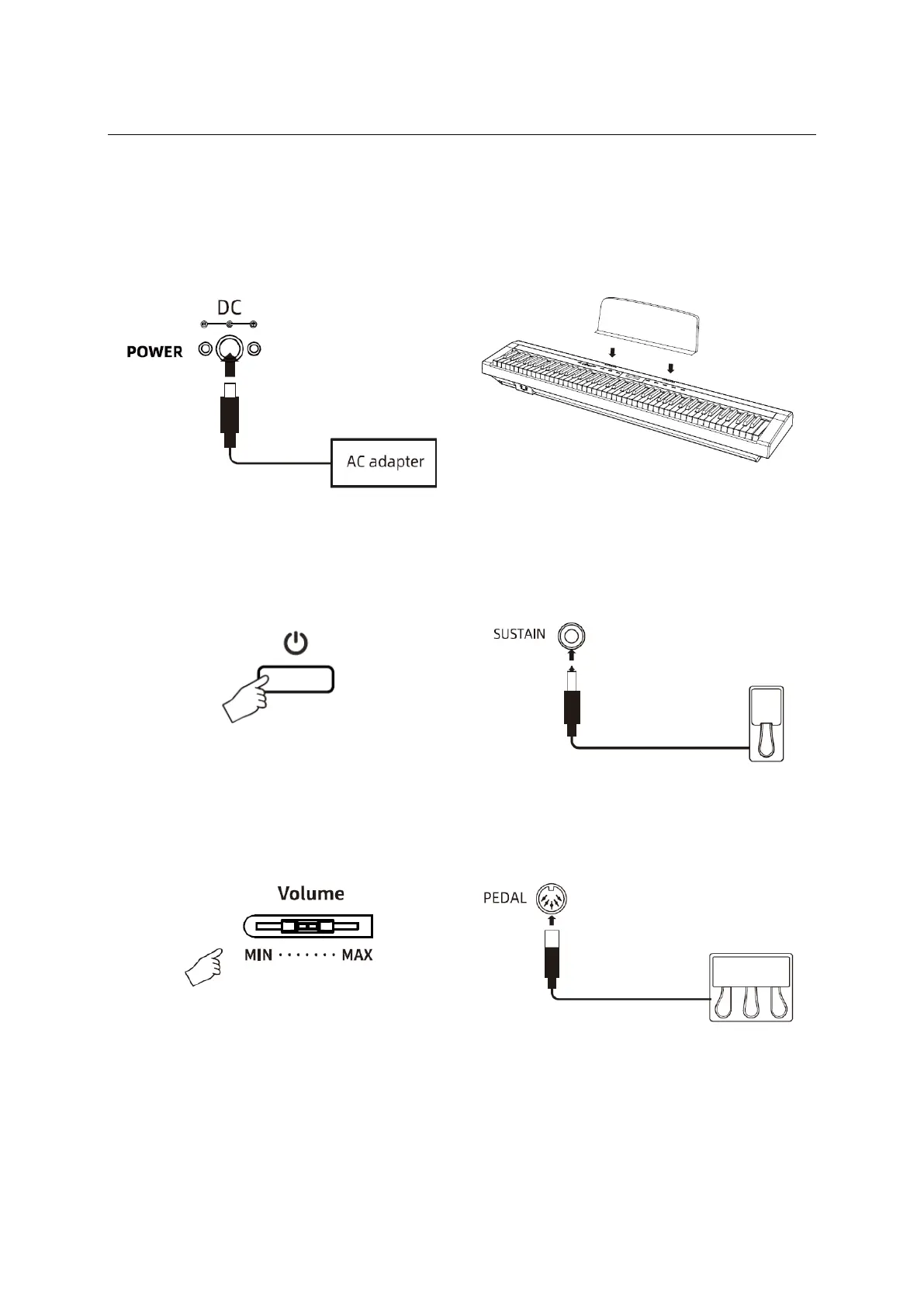
Connecting the power adaptor
Remove the electric plug from the outlet
when the instrument is not to be used for
extended periods of time, or during
electrical storms.
Insert the music rest on the instrument as
shown.
Connecting a foot pedal (sustain)
Press the [ (!) ] button on the Control Panel
to turn the instrument on. After power on,
the LED
indicator for the Power button will
turn on and
the LCD display will light up.
Use the [SUSTAIN] jack (6.35mm) located
on the Rear Panel to connect a Sustain
Pedal as shown.
Adjusting the master volume
Connecting the optional Triple pedal
Drag the [VOLUME] slider on the Control
Panel to
adjust the Master Volume to a
suitable level.
Use the [PEDAL] jack (5-PIN DIN) located
on the Rear Panel to connect a Triple
Pedal as shown.


 To Next Page