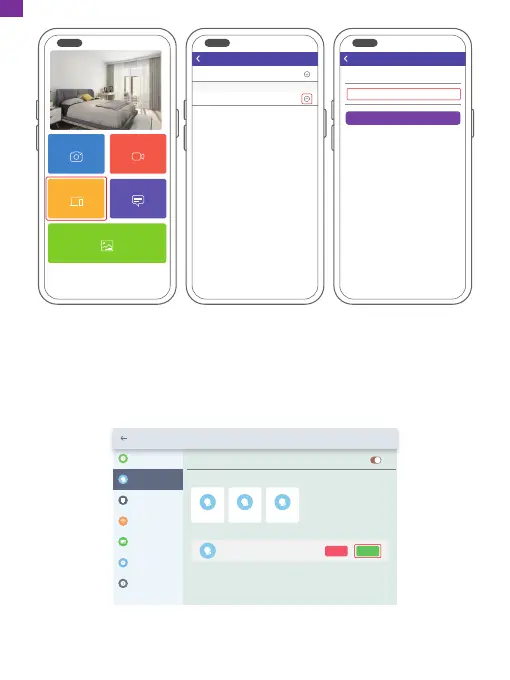
On your frame, you'll need to confirm your friend's binding request. Go to Settings
→ User Management → Pending User Requests, click Accept.
Then your friends and family will be able to share photos directly to the frame from
anywhere in the world.
To check the list of your frame's bound users, go to Settings → User Management
→ Users.
Settings
Device Info
Accept new users
Users
User Management
PC Control
Wi-Fi
Album Settings
System Settings
About
User 1
Pending User Requests
User 2 User 3
User 4
Refuse Accept
Devices
Messages
Video
Photo
Media
My Devices
Bound Devices
Back
Devices
Device name frame123456
Frame ID 123456
Bind
Devices
Devices Bind
Note: The above screenshot is for reference, please update to the latest firmware
version.
09
EN



 To Next Page