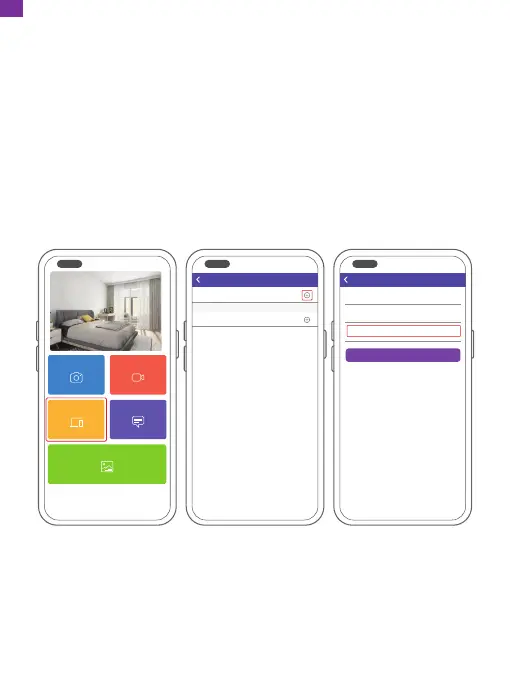
⑧ Confirm the binding request on your frame. Go to Settings → User Management
→ Pending User Requests, click Accept.
Note: Please make sure that you turn on the "Accept New Users" to receive
the binding request.
④ Enter the Frame ID.
Note: Frame ID is a 6-digit series number which can be found on your frame.
Go to Settings → Device Info.
⑤ Create a device name for your frame.
Note: We recommend you to name your frame after the Frame ID for easy
identification, for example, if the Frame ID is 123456, please name your frame
Frame123456.
⑥ Create a unique email address for your frame.
Note: We recommend you to create the address with the Frame ID for easy
identification, for example, if the Frame ID is 123456, please create an email
address frame123456@ourphoto.cn.
⑦ Then click Bind.
My Devices
Bound Devices
Back
Devices
Device name frame123456
Device Email frame123456@ourphoto.cn
Frame ID 123456
Bind
Devices
Devices Bind
Devices
Messages
Video
Photo
Media
07
EN


 To Next Page