EasyManua.ls Logo

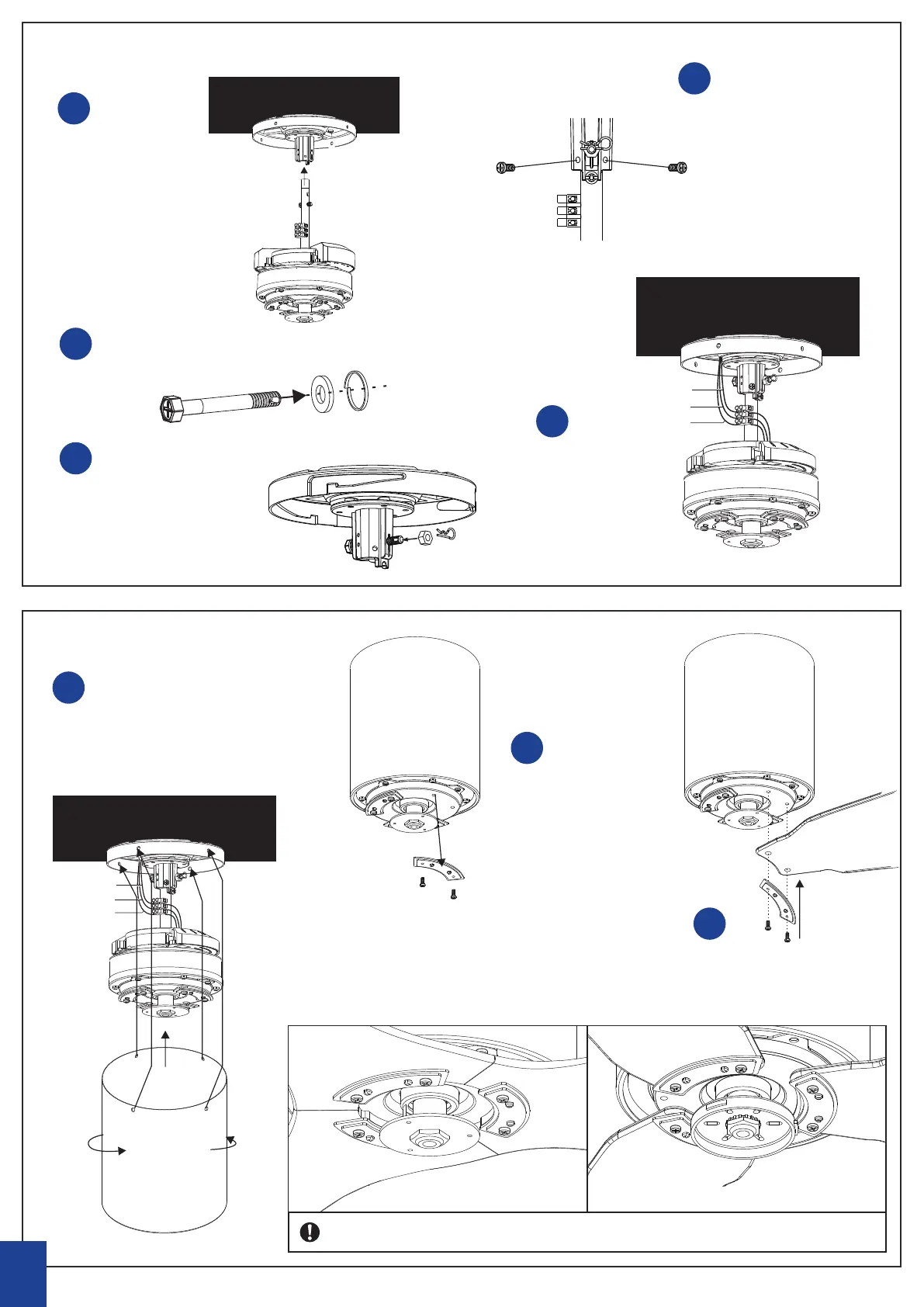
Fanco Studio DC - ATTACHING MOTOR; INSTALLING BLADES

Fanco Studio DC
14 pages
Print Icon
To Next Page IconTo Next Page
To Previous Page IconTo Previous Page
Loading...
ceiling
Ground wire
N Wire
L Wire
Ground wire
N Wire
L Wire
ceiling
Tighten
6
ceiling
Ground wire
N Wire
L Wire
Ground wire
N Wire
L Wire
ceiling
Tighten
Connect the motor
and nut together
A
Cotter Pin
B
Insert cotter pin to cross
nut & tighten the screw.
“R” Insert to cross pin
C
Place screw into screw
hole & tighten
D
Connect wiring
E
Install motor cover as
per below
A
Remove the blade
holders
B
Attach blades as per
above
C
Ground wire
N Wire
L Wire
ceiling
Tighten
The down side of fan with lamp The down side of fan without lamp
Make sure all the blades are smooth after installation
L oos en s crew as photo
S crew o as photo
S crew o
L oos en
L oos en
INSTALLING BLADES
ATTACHING MOTOR
ceiling
Ground wire
N Wire
L Wire
ceiling
Ground wire
N Wire
L Wire
ceiling
Ground wire
N Wire
L Wire

Related product manuals